
Chibuta
A one-stop audio picture book creation platform for children, parents, educators and creators, offering a wide range of drawing styles and creation tools, making it easy for everyone to create and share picture book stories.
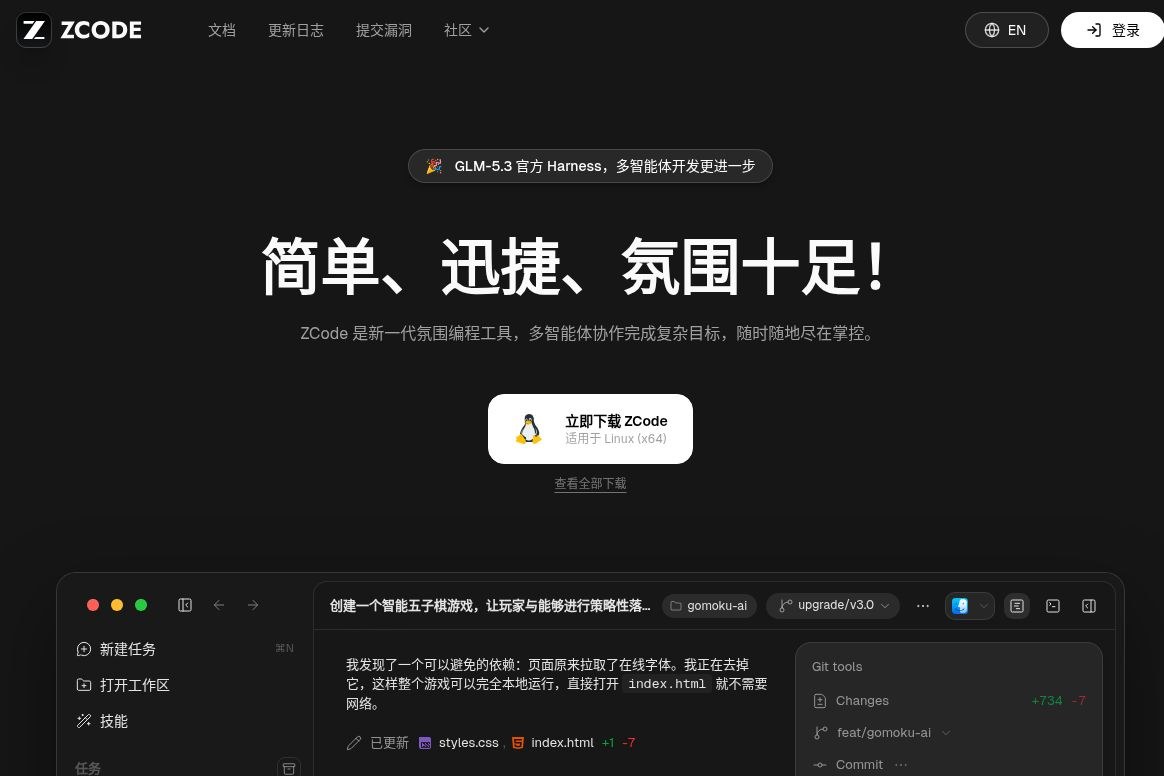
ZCode is an AI programming workbench launched by Zhipu that supports code editing, testing, project wikis, and remote mobile control. It facilitates continuous development through goal-oriented tasks; the client is free, and model calls are billed separately.
 ZCode
ZCodeZCode is a desktop AI programming workbench developed by ZhiPu and provided by Beijing ZhiPu Huazhang Technology Co., Ltd. It organizes development tasks around the ZCode Agent, bringing project files, the terminal, browser previews, and Git changes together in a single workspace. Its primary purpose is to help developers seamlessly carry out the process of breaking down requirements, modifying code, testing, and code reviews. The product is currently optimized for GLM-5.3 but also supports connecting to other compatible model services.Company and Service Information,Official Product Documentation
It is better suited for those who are willing to review the code and verify the results: the Agent handles engineering tasks that can be clearly defined and verified, while developers are responsible for defining the scope and deciding whether to implement the changes. For users who simply want an explanation of a piece of code and do not intend to share their project files, standard Q&A tools are generally more convenient.
/goal Set achievable goals for a session. The agent reviews the results at the end of each round and then decides whether to continue or end the session. Goals can be paused, resumed, or cleared; only one goal can be active at a time within the same session, and it is subject to user-initiated stops and usage limits. This approach is suitable for tasks such as refactoring and test completion that require multiple rounds of modifications.Target Mode DescriptionDevelopers who already have a GLM Coding PlanExisting packages can be integrated into the graphical workbench;Supporting Independent Developers of Small and Medium-Sized ProjectsYou can start by taking make-up tests, identifying errors, and implementing specific features;Team members taking over legacy projectsYou can start by using read-only mode to analyze the content and use the wiki to understand the structure, then gradually allow editing.
When making a decision, first check whether the task has clear inputs, boundaries, and acceptance criteria. A minor change that includes testing and version control makes it easier to determine whether the Agent has truly completed the work than “building the entire product.” Production databases, keys, and unauthorized customer data should not be included directly in trial projects.
The ZCode client itself is free; however, invoking models requires a valid subscription plan or a self-configured model service. New users who connect to BigModel receive a 5-day trial period starting from their first use; this should not be interpreted as a long-term, daily free service. The trial models and remaining quota are subject to what is displayed on the account dashboard.Frequently Asked Questions About Fees,Experience and Package Rules
The official website currently lists the monthly prices for the GLM Coding Plan as Lite ¥94.4, Pro ¥430.4, and Max ¥862.4, along with higher strikethrough prices. These are display prices on the page and are not fixed, long-term quotes; the subscription period, promotions, and final benefits are subject to the information on the BigModel subscription page. Plans have usage limits; “long tasks” do not equate to unlimited calls.Official Website: Plans Section
Running locally does not mean the code never leaves the device.The Privacy Policy states that text, files, and code submitted by users will be processed; the Wiki documentation also specifies that, during generation, filtered code context—read on an as-needed basis—is sent to the selected model service. Enterprise projects should first confirm their policies regarding the external transmission of code, vendor terms, and permitted directories; they cannot assume “zero uploads” based solely on desktop clients or file filtering mechanisms.privacy policy,Wiki Data Flow Description
Permission modes can reduce accidental errors but do not replace manual review. Important code should retain a confirmation step; remote control connections must be safeguarded in accordance with access credentials, and the remote control session must be actively terminated upon completion. Section 6.2 of the User Agreement limits the default use of ZCode and the content it generates to non-commercial personal research and study; Exceptions apply if otherwise agreed upon with the service provider or if the corresponding service is activated on ZCode and the applicable fees are paid. When using ZCode for commercial projects, users must verify that specific agreements or the rights granted by the purchased service cover such use; the fact that the client software is free of charge does not imply that it may be used for commercial purposes unconditionally.Operation Confirmation,User Agreement
| artifact | Focus | Suitable for the task | Important Notes |
|---|---|---|---|
| ZCode | GLM Adaptation, Goal-Oriented Long Tasks, Desktop and Chat Entry Points | Continuously iterate on the project and reuse the GLM package | Quotas, Model Data Flows, and Execution Permissions |
| Cursor | Agent, Code Search, Terminal, and Browser Tools in the Editor | Modifying the code as we read it, with manual development and agent-assisted development alternating | Local checkpoints are not a substitute for Git |
| Claude Code | Multiple access points, including terminals, IDEs, desktops, and web browsers | Integration with existing command-line and project toolchains | Accounts and access requirements vary by portal. |
The above comparison is based on working methods and does not represent a ranking of code quality or speed. Prioritize comparing the readability of changes, test results, permission interactions, and actual usage within the same small task before deciding which approach best fits your workflow. Functional basis:Cursor Agent Documentation,Claude Code Documentation.
ZCode 3.16.2 was released on October 20, 2026. It introduces new features such as multi-folder projects, a plugin marketplace, and remote device management, and fixes issues including out-of-bounds reads of local files on Windows and connection logs that may expose sensitive information. Before using an older version to work on real projects, it is recommended that you review the release notes and upgrade.Official Release Notes





 简体中文 简体中文
  English