
Bai Xiaoying
BCinks Intelligence launched the AI search assistant, with intelligent search, document speed reading, voice interaction and many other functions, aims to provide users with efficient and convenient query and auxiliary services.
A customer engagement platform for B2C teams that integrates multi-channel messaging, AI-powered customer service, lead assignment, and sales follow-up.
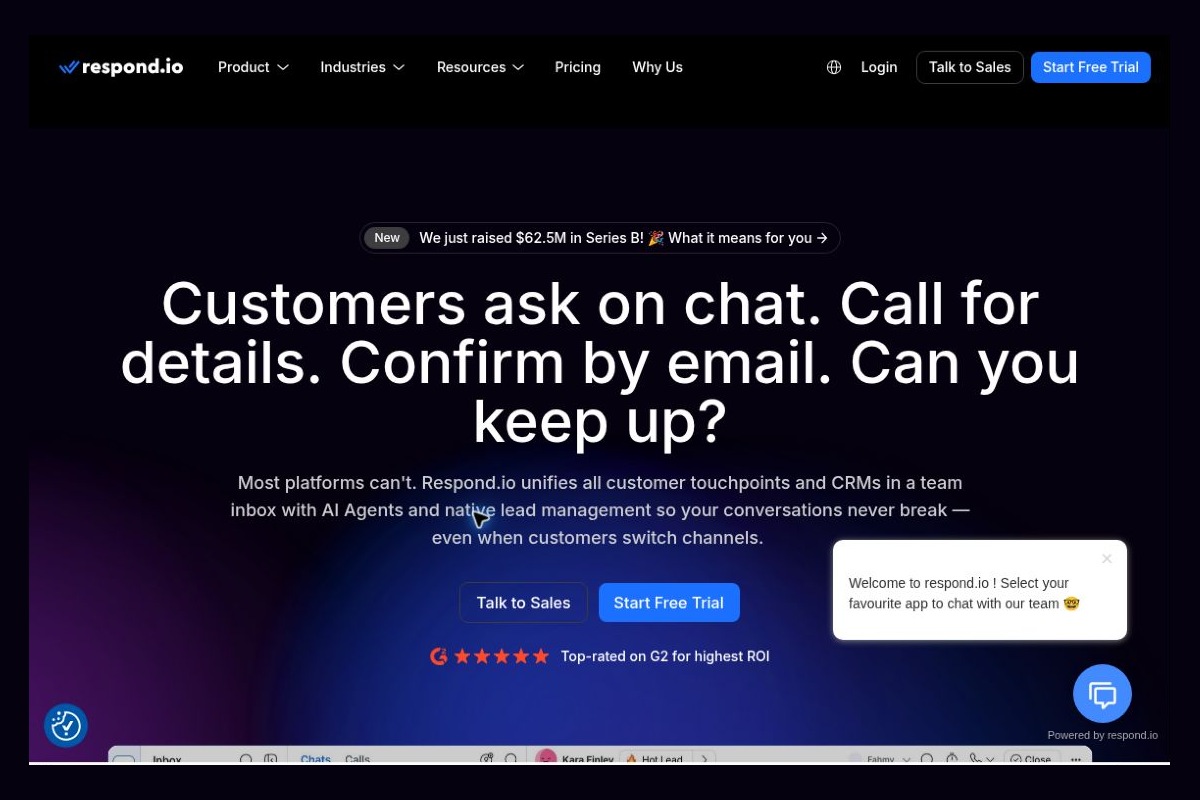
 respond.io
Ads generate inquiries, but they don’t necessarily lead to orders. Customers reach out through various channels, and sales reps aren’t sure where the previous conversation left off, so customer service has to ask about their needs all over again. What’s truly lost is often the context and the timing of the response. respond.io is designed for these high-frequency customer conversations: it unifies channels, team inboxes, automation, and AI Agent When combined, this allows a message to be seamlessly connected to subsequent assignment, follow-up, and service.
Official website:respond.io
respond.io was formerly known as Rocketbots, which was founded in 2017 and rebranded in 2020. The officially listed co-founders are Gerardo Salandra, Iaroslav Kudritskiy, and Hassan Ahmed, and the company is headquartered in Kuala Lumpur, Malaysia. Its core focus is not on personal chatbots, but rather on helping mid-sized B2C companies manage high-frequency, cross-channel customer communications, covering customer acquisition, conversion, and retention.
This context determines the key considerations for product selection: If the business consists of just one person, a single point of contact, and a few inquiries per day, a lightweight tool may be sufficient; if advertising, social media messaging, sales, and customer service are already handled by different team members, a unified workflow is what will truly deliver value. Whether a product is suitable depends first and foremost on the team’s specific needs, rather than the number of AI features it offers.
The platform integrates team inboxes, contacts and their lifecycles, workflows, and AI agents into a single system. Customer service representatives can take over conversations, sales teams can follow up on leads, and automation handles clear-cut routing and follow-up actions. For businesses that use multiple communication channels, the platform aims to reduce the need to copy contacts and manually add notes across different tools.
The Copilot update on October 29, 2026, expanded the natural language assistant’s capabilities from “answering questions” to “assisting with tasks.” The officially listed capabilities include finding, creating, updating, or merging contacts; managing tags and lifecycle stages; sending messages and templates; assigning or closing sessions; and creating contact fields. It can also view workflows and their statuses, though the announcement does not equate this to the ability to modify workflows at will.
There are two details here that are easy to misinterpret. First, the phrase “across your Workspace” in the update title refers to performing tasks across different features within the current workspace; it does not mean automatically spanning all workspaces. Second, Copilot requires user approval before making changes and is subject to the permissions of the user’s current role. While it can reduce the number of steps required, it should not be viewed as a “universal administrator” capable of bypassing approvals and permissions.
Sales Lead Routing. For example, in education consulting or automotive services, users may request a quote before making an appointment. The team can clearly document the request, follow-up stages, and the person in charge to avoid having the customer repeat the same information to multiple people. When designing the process, first define what constitutes a valid lead, and then decide which questions to assign to the AI.
Preliminary reception across time slots. For companies that frequently receive inquiries outside of business hours, AI can handle initial communications with clearly defined boundaries before transferring the inquiry to a human agent. Product prices, refund policies, and specific promises should be based on approved materials; when the AI cannot answer a question, it is more important to refer the inquiry than to fabricate a polished response.
Collaboration between customer service and sales. Customers may report issues or request renewals or upgrades. A unified context helps team members in different roles understand the full picture, but the team still needs to agree on what information can be shared, who can modify key fields, and who is responsible for the final response.
These are potential application scenarios; they do not guarantee that connecting to the platform will automatically result in higher conversion rates. Before going live, you should select a small number of low-risk workflows for validation and measure miss rates, response times, and manual rework—rather than simply counting how many messages the AI sent.
The official site offers a 7-day free trial that does not require a credit card; the scope of the trial is subject to the terms outlined on the page. Paid plans are categorized as Starter, Growth, Advanced, and Enterprise; features such as AI Agents and workflow automation depend on the selected tier, so the Starter plan should not be assumed to include all capabilities.
The budget is typically divided into at least four parts: platform subscriptions, the number of members or monthly active contacts, AI usage, and the costs associated with the channel itself. WhatsApp fees are explicitly excluded from the respond.io subscription. For businesses with seasonal fluctuations, it’s also important to confirm how overage contacts and AI credits are billed. Incorporating your actual monthly inquiry volume into the estimate is typically more reliable than simply comparing the lowest monthly price displayed on the homepage.
Data governance must also be addressed in advance. Chat logs may contain phone numbers, addresses, order details, and complaint information. Access permissions should be assigned based on job roles, unnecessary data access should be restricted, and retention and export policies should be established. The fact that Copilot has a confirmation mechanism does not mean users can ignore the confirmation prompts; merging the wrong contacts or sending messages to the wrong recipients can still have real-world business consequences.
| artifact | Main Focus | Situations Suitable for Priority Research | Key Points to Verify |
|---|---|---|---|
| respond.io | Multi-Channel Customer Engagement, Team Collaboration, Lifecycle Management, and Automation | Customer communication is integral to both sales and service, and the team needs to handle it consistently. | Plan Features, Contact Capacity, Channel Fees, and Role Permissions |
| Manychat | Social Media Marketing: Comment Engagement, Direct Messages, and Lead Generation | Businesses that transition from social media interactions on platforms like Instagram to direct message marketing | Do actual channel capabilities, automation rules, and team collaboration needs align? |
| Intercom | AI and Human Customer Service Systems, Inbox, Support Tickets, Help Center | A team focused on product support and customer service | Work Order Knowledge Base Requirements, Integration Scope, and Overall Billing Method |
These three are not simply a matter of high-end versus low-end options. Social customer acquisition, instant messaging sales, and ticket-based support operate differently, so when making a choice, it’s best to test them against a real customer journey: Can they be integrated? Is context maintained? Can a human take over? Are the costs predictable? What makes respond.io noteworthy is that it organizes these actions into a single customer communication workflow, rather than promising that AI can handle sales entirely on its own.


 简体中文 简体中文
  English