What is Typeless?
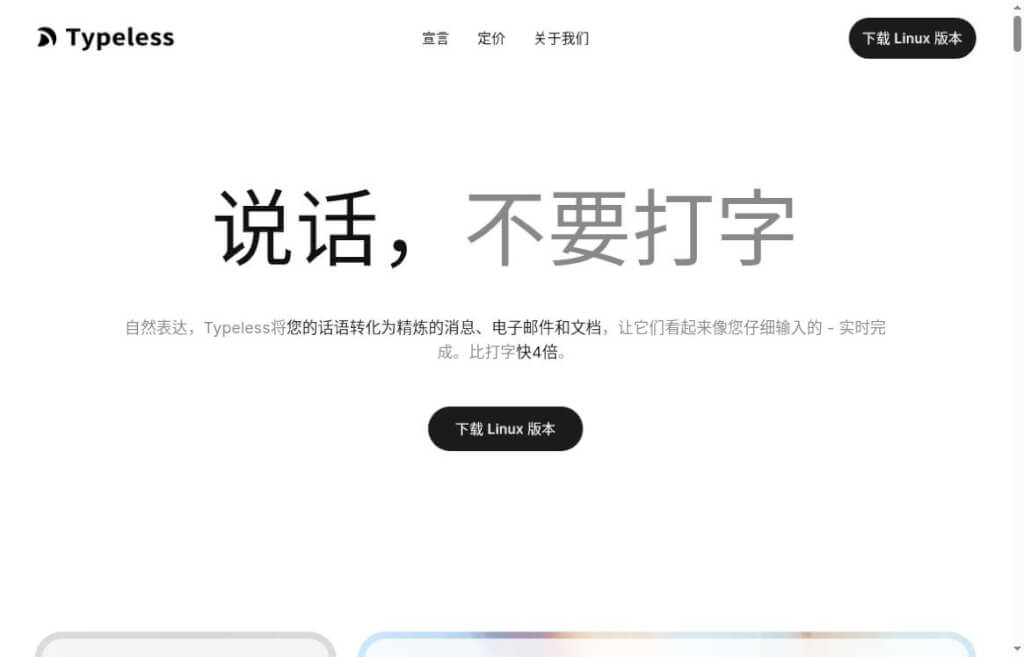
Typeless is an AI-powered voice-to-text tool that converts natural speech into written text, making it ideal for drafting emails, replying to messages, jotting down ideas, and organizing work instructions. It refines your spoken words during transcription, producing content that’s close to a first draft you can edit and use right away. For those who “think fast but type slowly,” or who need to enter large amounts of text across multiple apps every day, this approach is worth trying.
The official website currently lists versions for macOS, Windows, Linux, iOS, and Android. When using the app, you can typically start dictating directly in the original text field—there’s no need to write your text in a separate editor first and then copy it over. Specific shortcut keys, permissions, and feature access vary by platform; please refer to the version you have installed.
Key Features
- Organizing Spoken Language and Self-Correction:It automatically handles filler words, repeated phrases, and mid-sentence corrections, and organizes the key points of your spoken remarks into lists or steps. This feature is ideal for first expressing your ideas in full and then reviewing the final draft.
- Multilingual Voice Input:According to official specifications, it supports over 100 languages and can automatically recognize language types and mixed-language input. For languages such as Chinese, you can also configure regional variants to help ensure the output better matches your writing habits.
- Personal Dictionary:You can add names, project abbreviations, and industry terms; the desktop version supports bulk import via CSV. For proper nouns that are frequently misrecognized, it’s best to add them to the dictionary first and then test them.
- Speech Translation:After presetting the target language, simply speak in a language you're familiar with, and the translation will appear in the input field. This eliminates the need to copy and paste when sending cross-language emails and text messages, but technical terms and key commitments still need to be reviewed.
- Use voice to edit and ask questions:The desktop version of "Ask Anything" can rewrite, summarize, explain, or translate selected text, as well as search for information online. When modifying editable text, the results will replace the selected content; it is advisable to save important original text before using this feature.
core value
The practical benefit of Typeless is that it combines “input” and “initial organization” into a single operation. For example, a project manager can dictate the task background, delivery requirements, and schedule, then check whether the output is clear; a content creator can first jot down scattered ideas and then continue to refine the structure. Whether this truly saves time depends on speaking habits, ambient noise, the density of proper nouns, and the amount of subsequent editing; the speed figures cited on the official website should not be taken as results that everyone can achieve.
Voice input also has its limitations. Open-plan offices, public transportation, or situations involving confidential matters may not be suitable for speaking content aloud. Dates, amounts, negative sentences, and people’s names are particularly worth checking one by one; if the text has been automatically formatted, it is even more important to verify that the original context and tone have not been altered.
When you first start using this feature, begin with short replies and to-do lists, then gradually move on to longer passages. If a passage involves multiple people, it’s usually easier to review later if you first provide some background information and then outline each person’s tasks. Treating voice dictation as a way to draft your text can help you establish a consistent habit of using this feature.
Regarding privacy, the official documentation states that transcription occurs in the cloud and involves processing voice data and limited app context. Its data control policy promises not to use spoken data for model training, and audio and context are discarded after processing; transcription history remains on the device by default but is stored in the cloud when optional cloud sync is enabled. Since actively submitted feedback is subject to separate rules for handling diagnostic information, this tool should not be considered a completely offline tool.
How to use
- Download the appropriate version from the official website, log in, and complete the setup. Using a Mac as an example, you'll need microphone and accessibility permissions; the latter is used to enter text into the current input field.
- First, test the microphone in a non-sensitive draft, add commonly used names, brands, and abbreviations to your personal dictionary, and verify the voice-to-text and translation shortcuts.
- Click the target text field to start dictation, speak naturally, and press the shortcut key again to stop. The default dictation shortcut on the desktop is the Fn key on Mac or the right Alt key on Windows; you can check this in the settings.
- Compare the results with your intended content, then send or save the message yourself. We recommend using a few real work emails to estimate how long the editing process takes before deciding whether to upgrade.
As of October 11, 2026, the free version offers a limited number of characters per week; the official website does not currently list a specific number on its pricing page. The Pro plan costs $30 per person per month; paying annually works out to $12 per person per month and includes benefits such as unlimited characters and cross-device cloud synchronization. Annual plans are billed annually; you should verify the total cost, renewal terms, and cancellation policies before purchasing.
Comparison of similar products
Both are suitable for users who want to reduce the amount of typing. A more useful way to compare them is to use the same spoken passage—one that includes proper names, numbers, and rephrasing—to check for omissions, incorrect changes, and the readability of the transcribed text, and then make your choice based on how often you use each.


 简体中文
简体中文  English