
Arigato AI PPT
A presentation creation tool that utilizes artificial intelligence technology to provide users with intelligent generation, template-rich, online real-time editing features.
Compile meeting transcripts, summaries, and action items into searchable working knowledge, and connect MCP and Gamma.
Read AI is an AI assistant that transforms meeting content into searchable, actionable knowledge. It provides transcripts, summaries, and action items, and can integrate context from connected emails, messages, and other sources to help teams review decisions, organize client needs, and move forward with post-meeting tasks.
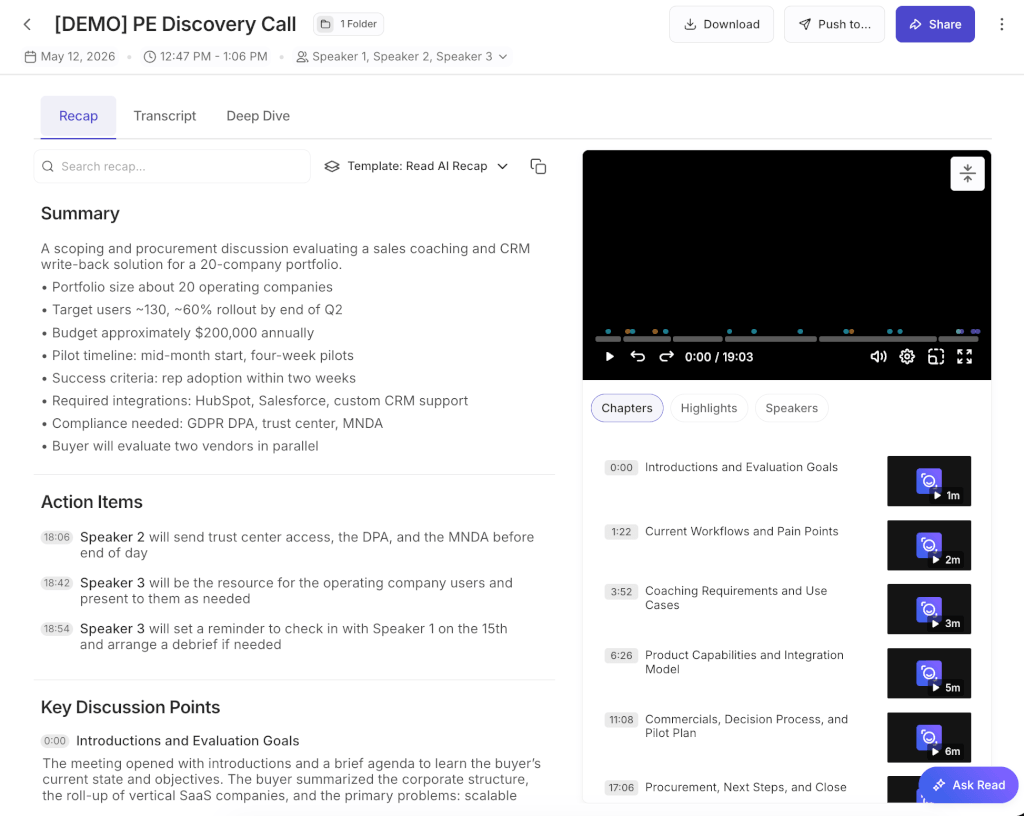
Read AI has added meeting content search and folder management capabilities to the MCP service, introducing a total of 10 new tools, bringing the total to 14. Accounts with MCP access can use the Compatibility Assistant to find meetings based on discussion content and organize or share folders. Existing connections do not need to be reinstalled or reconnected; search results include match reasons and supporting excerpts, though users should still open the full transcript to verify exact quotes.
Gamma Connect, announced on the same day, uses meeting insights to create presentations and documents. Official examples include team progress reports, client proposals, and quarterly business reviews: Read AI provides the context of the discussion, and Gamma organizes it into presentable content.
Project managers can consolidate action items across meetings, while sales and customer success teams can organize requirements and commitments. Remote teams can use searchable reports to reduce the need for repeated explanations. For those who frequently need to create reports based on meeting minutes, Gamma Connect provides a way to further organize the material. Before sharing, review the report to ensure that customer information and the scope of internal discussions are accurate.
Read AI was founded in Seattle, Washington, in 2021 by co-founders David Shim, Robert Williams, and Elliott Waldron, who bring expertise in business management, engineering, and data science, respectively. The official free plan includes transcription, summarization, and search for up to 5 meetings per month; the Pro, Enterprise, and Enterprise+ plans offer varying levels of unlimited meeting reports, replays, and organizational management features. Video replays and advanced enterprise controls are not all included in the free plan; specific quotas and benefits are subject toPricing Pageshall prevail.
Otter.ai cap (a poem) Fireflies.aiIt also offers meeting transcription, summarization, and search capabilities, and is expanding its AI assistant integrations. When evaluating Read AI, focus on its integration with existing email, meeting, and collaboration tools, as well as MCP folder management and Gamma output workflows. We recommend comparing transcription quality, action item accuracy, sharing permissions, and pricing plans using meetings of the same type.
Official Information:MCP Update Announcement - Introduction to Gamma Connections - Team Introduction


 简体中文 简体中文
  English