
Koncile
An intelligent AI-based OCR platform that quickly extracts unstructured documents from PDFs, scans, and images into high-precision, actionable structured data.
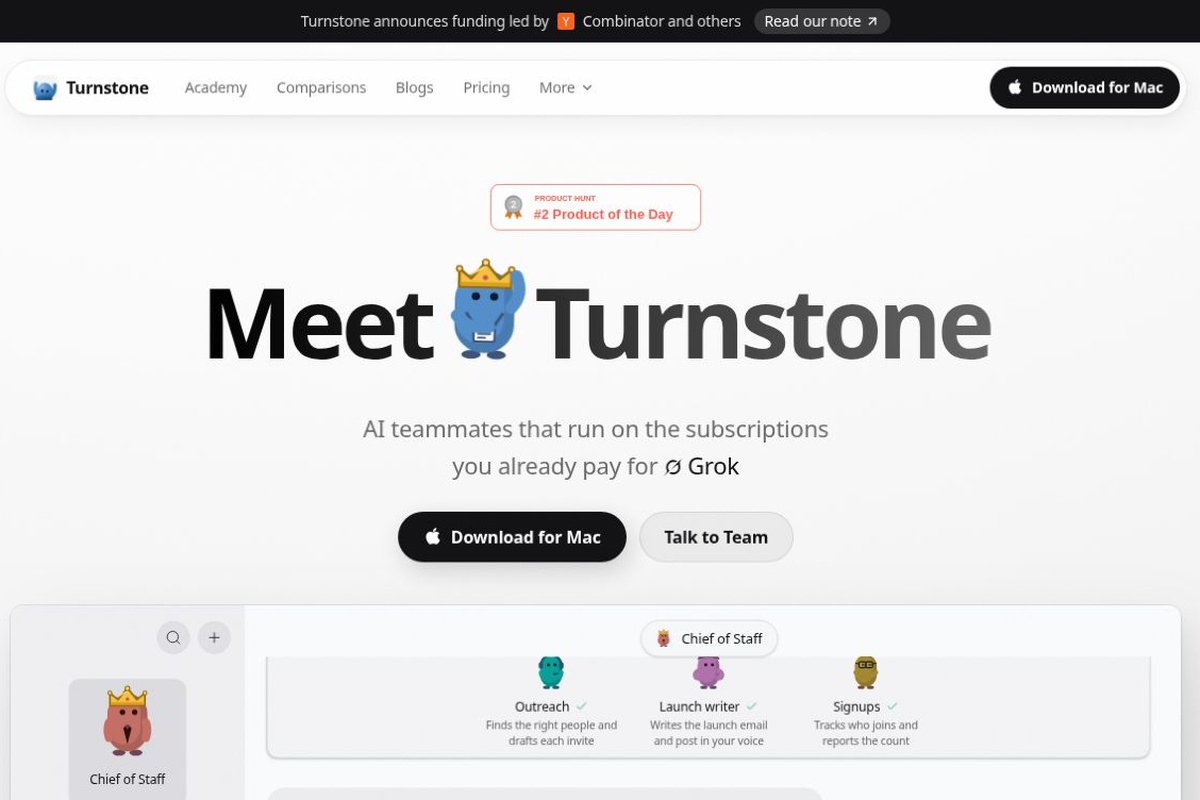
Turnstone is a multi-agent assistant for Mac that connects to existing model subscriptions, APIs, or local models, allowing different assistants to divide up the work of handling data, files, and repetitive tasks. The Mac app is free, but model usage is billed separately; the Cloud service is still in beta.
 Turnstone: Subscribe to existing models to build a team of AI assistants with long-term memory
Turnstone delegates daily tasks to a team of AI assistants, each with specific responsibilities: some organize information, others draft content, and still others process documents. The product is operated by Crow Inc. Founders Aryan and Jai met at the University of California, Berkeley; the team participated in the Y Combinator Winter 2026 batch and is currently developing the product in San Francisco. Their approach is to ensure that assistants maintain context from previous work, reducing the burden of having to explain tasks anew each time.Team Introduction
It’s ideal for Mac users who have purchased multiple model subscriptions and frequently need to manage customer data, weekly reports, and project coordination. Independent creators and small team leaders can set up specialized assistants for specific tasks, which the main assistant can then assign. Users who only need occasional Q&A support—or who must work on Windows—may not need to add this additional layer of tools.
Each agent can retain its responsibilities and work preferences; the shared Brain stores information about people, projects, and context. Users can switch between models while retaining the conversation context, and they can have assistants hand off tasks to one another. It provides a separate browser tab for reading web pages and assisting with form filling, and supports recurring schedules; after connecting to Gmail, Calendar, Slack, or Drive, users can organize scattered information into a single task.Turnstone Official Website
The update on November 7, 2026, introduced a fallback sequence when models are unavailable, expandable table previews, and directly editable work rules. On November 6, the ability to top up Credits and use models at OpenRouter’s listed prices was added. Therefore, the decision between the included subscription and in-app Credits should be based on the specific model and usage; “free app” should not be interpreted to mean that all inferences are free.Release Notes
1. Download the Mac version from the official website, then connect to a supported model subscription, API, or Ollama. First, check the quota for your chosen provider, then let the main assistant know about your work and goals.
2. In Settings → Connected Apps, connect only the accounts needed for this session; in Brain, review existing memories and correct any errors in the background. Start by running a test using data that does not contain any confidential information.
3. Create an assistant with clearly defined responsibilities, such as “Organize the project progress weekly, list items requiring confirmation, and submit them to me for review first.” Specify the input location, output format, and which actions must be confirmed by you.
4. Check the facts, recipients, and file paths in the first set of results. Once everything is stable, create a schedule; for local schedules, the app must be open, and the Mac must remain awake. You can save established workflows as Skills for reuse later.Guidelines for use
The Mac app is priced as free and supports both Apple Silicon and Intel; model subscriptions, API fees, and usage limits are still determined by the provider. The Cloud version is priced at $49 per month, but the official website still lists it as “coming soon” and offers a waitlist option; it cannot be selected in the same way as a standard account, which already has 24/7 online access. An iPhone beta version is available via TestFlight and must be paired via the Mac’s Experimental → Phone Remote settings.Pricing Plans,iPhone Beta
Storing data locally does not mean it will never leave the network: when using external models or connected services, task content will still be sent to the respective providers. For data involving customers, finances, or internal information, you should first verify your account’s data settings and authorization scope. The official documentation does not provide a complete list of regions where the service is available; users in China must verify individually whether specific models, connected services, and login methods are supported. Model outputs and cross-application actions must also be reviewed.privacy policy,Terms of Service
| artifact | Positioning and Functional Focus | Suitable Tasks | Costs or Significant Restrictions / Official Sources |
|---|---|---|---|
| Turnstone | Self-Selected Models, Persistent Agents, and Shared Memory | Long-term follow-up with multiple stakeholders and repetitive office work | Mac: Free, models sold separately; Cloud: on a waiting list.functionality/prices |
| Claude Cowork | Claude: Cloud-Based Tasks, File Processing, and Research | Work that incorporates Claude's knowledge has been adopted | A paid plan is required; access for some teams or organizations must be enabled.Official Statement |
| Manus | Executing files, browser tasks, and code tasks on cloud-based virtual machines | A Multi-Step Delivery Process with Clear Objectives | Points are deducted based on the complexity and time required for each task, so be sure to keep an eye on your budget.Official Statement |
When making a choice, first consider whether the task requires a long-running role or a switchable model, and then evaluate the execution location and total cost. Turnstone’s advantage lies in its ability to reuse existing model resources; if continuing execution after stepping away from the computer is your top priority, you should first verify the actual cloud capabilities of your account.





 简体中文 简体中文
 English