
AskCodi
The programming assistant with integrated AI technology supports code generation, smart suggestions, troubleshooting and other features designed to improve developers' coding efficiency and experience.
Use natural language, templates, and Remix to generate prototypes for React Native and Expo apps, then export the code to continue development.
 RapidNative
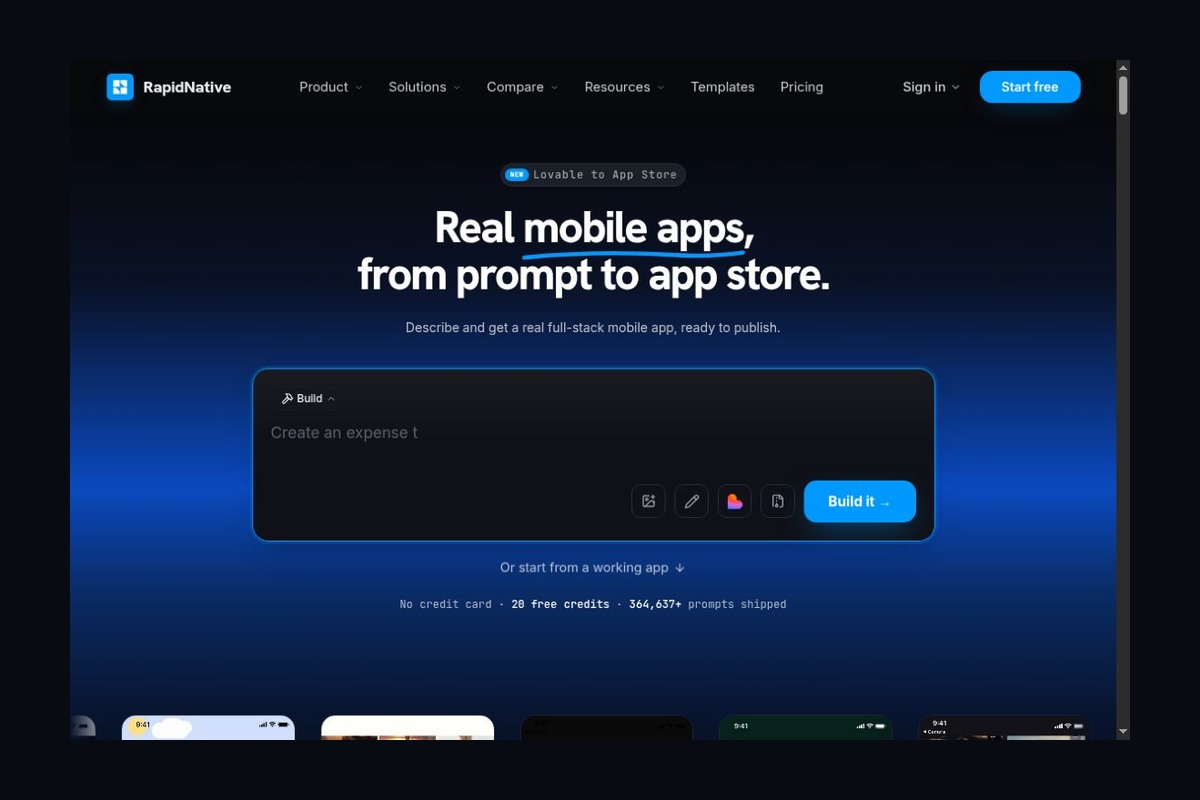
RapidNative is an AI-powered mobile app development platform that runs in a browser. Users can enter text requirements, provide sketches, or submit product descriptions, allowing the platform to generate apps based on React Native and Expo, which they can then refine step by step in terms of interface and functionality. The focus is not on creating an image that looks like an app, but on turning ideas into projects where users can preview, modify, and hand off the code.
RapidNative is operated by Shaper Studio Inc. The official website offers a public registration portal, and the product is aimed at entrepreneurs, product designers, and engineering teams looking to accelerate prototyping. It is not a standalone consumer-grade app that must be downloaded to a mobile device to use, but rather a web-based tool for building applications.
The update on October 26, 2026, adjusted the template rules for free projects: existing screens imported from templates or Remix no longer count toward the five-screen limit, and users are allowed to continue editing these screens. A previous update on October 24 also announced that new projects would use Expo SDK 58 and React Native 0.88. Existing projects and older tutorials may use different framework versions; compatibility should be verified individually before migration.
Generate the application structure based on requirements. You can describe your goals using text, images, or a product requirements document to create pages and interactions. A more effective way to provide input is not simply to say, “Build an e-commerce site,” but to clearly define who will use it, the core tasks, which pages are needed, and which features will be left out for now.
Connects front-end and common back-end capabilities. The official website describes identity authentication, databases, file storage, and real-time capabilities, and also supports mobile-specific features such as cameras, location services, and notifications. The availability of these features does not mean that permissions, database rules, or business logic have met production security standards; each must still be reviewed individually.
Preview in your browser and on your phone. The browser is convenient for quickly viewing the interface, while Expo Go is used for testing on actual devices. These two environments should not be confused: the release notes clearly state that the browser preview uses demo data, and any upload or registration actions performed there are not saved as real data.
Export the code and continue development. Paid plans support source code export and code editing, making them ideal for handing off validated prototypes to developers familiar with React Native and Expo for continued maintenance. This reduces the likelihood of having to start from scratch, but does not eliminate the need for project handover, testing, and architectural refinement.
RapidNative is ideal for creating clickable mobile proof-of-concepts, initial versions of internal business tools, and MVPs that can be tested on real phones. Product managers can identify workflow issues earlier, entrepreneurs can discuss requirements using concrete interfaces, and developers can use it to speed up the creation of basic pages.
If a project involves complex offline synchronization, strict compliance requirements, specialized hardware, or extensive native customization, you should verify the system’s capabilities before making a selection. Interpreting “capable of generating” as synonymous with “ready for production” can lead to an underestimation of subsequent engineering costs.
The free plan on the official website offers 20 AI credits per month, subject to a limit on the number of screens; template imports are subject to the exception rules announced on October 26. The monthly price for the Starter plan is $20...provides 50 credits per month, as well as features such as code export and code editing. The credit limit does not guarantee the ability to complete an equivalent number of applications; different generation and modification tasks may consume varying amounts of resources.
The official website provides a deployment path via LetsDeployIt, but the App Store account, review process, actual release, and additional service fees must be confirmed separately. A successful build does not guarantee approval by the app store. When submitting your application, use anonymized examples to avoid including customer personal data, production keys, or unauthorized materials directly in the project; you should also verify the project’s public visibility and the data policies of third-party services in advance.
| offerings | Main Paths | What Should I Focus On More? |
|---|---|---|
| RapidNative | Natural Language Generation React Native/Expo Project | Quickly create mobile prototypes that can be previewed and further developed |
| FlutterFlow | Visual interfaces and workflows, integrated with backend services | I hope to design the pages and interaction flows in greater detail. |
| Draftbit | Combining AI, Visual Editing, and Code Development | I want to be able to switch between generative efficiency and manual development control |
When comparing options, you should test them using the same small use case to evaluate code maintainability, the cost of modification, and performance on actual devices. The solution that produces the most impressive initial results isn’t necessarily the easiest to maintain in the long run.



 简体中文 简体中文
  English