What is OpenCode?
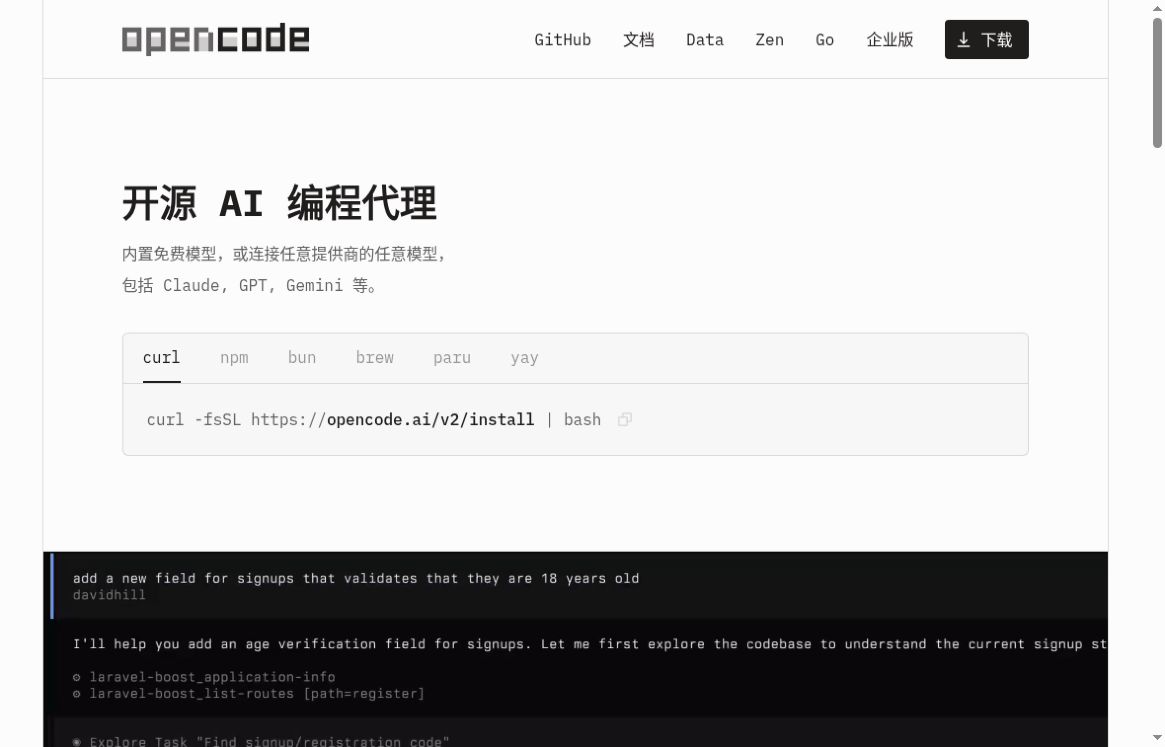
OpenCode is developed by Anomaly An AI programming agent maintained by a team and the open-source community, designed for developers who need to work on real-world code projects. It helps users understand code, implement requirements, and handle modifications, and supports use across terminals, desktops, and the web. A key feature is the freedom to choose models: users can select different service providers based on tasks, budgets, and deployment requirements, without having to tie their entire workflow to a single model.official websitetogether withV2 DocumentationProvides download links and a getting-started guide.
Key Features
- Project Understanding and Code Collaboration:After launching the project directory, describe the problem in natural language; use the @ symbol to reference specific files or line ranges to provide clear context for the task.
- Multi-model Integration:Connect to a provider using /connect, then select a model using /models; supports custom compatible interfaces, allowing you to configure local or remote models based on your actual environment.
- Multi-session and Change Verification:Organize sessions around different tasks and view differences in file modifications; supports interactions such as undo and redo.
- Script Workflow:`opencode run` can accept prompts in non-interactive mode, making it easy to integrate with scripts or CI workflows.
- Permissions Management:You can restrict the execution permissions of tools to set limits on file modifications and command execution.
Functional Basis:TUI Documentation,Model Provider Configuration,CLI Documentationup toPermissions Documentation.
Core Values and Use Cases
From a product design perspective, OpenCode’s value lies in integrating model selection, project context, and actual development tasks into a single workflow. It is well-suited for developers with existing code repositories, particularly teams that want to maintain their terminal workflows, experiment with different models, or customize their toolchains. This assessment is based on functionality, not performance testing results.
- Taking on an unfamiliar project:First, determine the entry point, module responsibilities, and call relationships; then decide on the scope of the changes.
- Bug Fixes and Additional Testing:Provide the error, steps to reproduce it, and the expected behavior; the task is to generate the minimal modification and describe the verification method.
- Implementing small features or refactoring:Break down large requirements into small, reviewable tasks, and check for discrepancies round by round.
- Development Automation:Incorporate repetitive tasks such as explanations and analyses into scripts; set up separate reviews for tasks involving writing and deployment.
How to Get Started with V2
- Open the official V2 documentation and select the installation method appropriate for your system. For example, for a Node.js environment, you can use
npm install -g @opencode/cli.
- Navigate to the directory containing the project you want to process, and run
opencode.
- Execute
/connect, connect to the model provider following the official process, and then through /models Select a model. The key should be stored in a controlled configuration and should not be committed to the repository.
- Start with a read-only task, such as “Describe the login process for this project and list the relevant documents,” and only ask for revisions after confirming that the understanding is correct.
- utilization
/diff Review changes in conjunction with version control and project testing and acceptance. If you need to roll back, refer to /undo, but it cannot replace backups and code reviews.
Note: Both V1 and V2 use the `opencode` command by default, so they cannot be installed side-by-side using the default commands. The `opencode-ai` package mentioned in older tutorials is for V1; please review the following before migrating:Official Migration Guidelines. The V2 documentation also explicitly states that installation via the Windows package manager is not supported; Windows users should prioritize checking the official standalone binary download options.
Pricing, Availability, and Necessary Restrictions
OpenCode is an open-source tool that can be downloaded directly; the homepage features built-in free models, and you can also connect to your own model service.Open source does not mean that all model calls are free.: API fees, subscription quotas, and call limits depend on the provider you choose; the official Go API also offers optional subscriptions. You should review the specific billing and data policies before purchasing or connecting. The “New Product Waitlist” subscription section on the homepage does not mean that OpenCode itself requires you to join a waitlist.
Using remote models typically involves sharing the task context with the model provider; do not interpret “running the client locally” to mean that “the code never leaves the local machine.” Configure models, permissions, and accessible directories in accordance with your project’s confidentiality requirements. AI-generated code also requires manual review, security checks, and testing.
How do I choose between Claude Code and Cursor?
- OpenCode:The focus is on open-source and configurable model integration, making it suitable for users who are willing to manage model connections, permissions, and development environments.
- Claude Code:You can evaluate whether the team primarily uses programming agents with Claude by comparing their workflows—such as the officially supported terminals and IDEs—with those of Claude.
- Cursor:It offers multiple access points, including an editor, CLI, and cloud proxy, making it ideal for teams that want to organize editing and proxy tasks within a single product.
There is some overlap in the functionality of these products, so they cannot be simply categorized as “client-side” or “editor-side.” When making a selection, you can use a real-world task to compare contextual understanding, auditability of changes, cost, and permission controls. See alsoClaude Code Official Overviewcap (a poem)Cursor Official Website; This article does not rank the methods by speed or accuracy.
Last Updated: October 15–16, 2026
According to the official V2 release notes, version 2.0.30, released on October 15, added round-by-round file change display and a TUI diff that can be docked to the sidebar; On October 16, version 2.0.32 improved the `/copy` command so that it copies the most recent assistant response and fixed a login crash issue in environments without a browser. These are part of subsequent iterations of V2 and should not be described as “V2 was first released on October 15.”
The same blog post explicitly removed the retired session-sharing backend and the unavailable /share command. Although the text “Share Link” still appears on the home page, this article does not list it as a current V2 feature. Version facts are based onOfficial Release Notesis final. Verification date: October 18, 2026.


 简体中文
简体中文  English