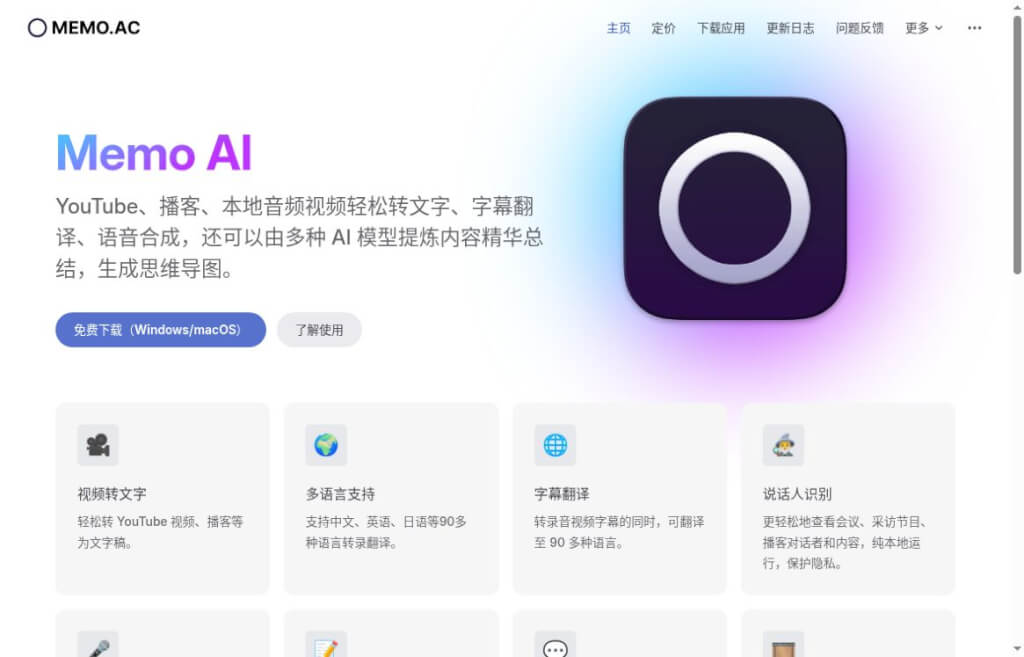
What is Memo AI?
Memo AI is a desktop tool that converts audio and video into text, subtitles, and study materials. It’s ideal for organizing lectures, podcasts, and interviews, as well as creating bilingual subtitles. It integrates transcription, proofreading, translation, and exporting into a single workflow: a recording can be turned into searchable text or further organized into subtitles or review notes. It supports Windows cap (a poem) macOS... and can be connected to different models to perform subsequent tasks such as translation and summarization. No actual transcription tests were conducted in this paper.
Key Features of Memo AI
- Audio and Video Transcription:Import a local file or a supported online video, transcribe the audio into text, and distinguish between speakers. For group interviews, you can first view the transcript by speaker, then verify names and technical terms.
- Subtitles and Dubbing:Translate subtitles, edit subtitle clips, and convert text to speech—ideal for creating foreign-language versions of courses or instructional videos.
- Content Organization and Export:Generate summaries and mind maps based on transcripts, export them in formats such as SRT and Markdown, and integrate them into note-taking workflows like Notion and Obsidian. When editing videos, you can select subtitle files; when organizing interview insights or class notes, you can choose text formats that are easy to edit further. Relevant AI features require the configuration of appropriate models.
The Core Value of Memo AI
Its value lies in streamlining the process of “listening first, then organizing.” For example, for a one-hour interview, the process begins by generating searchable text, followed by filtering key points and proofreading quotes, and finally producing article content and subtitles. The more existing audio and video content you have—and the more frequently you edit it—the more worthwhile this batch processing becomes. Recognition accuracy is still affected by accents, background noise, and the model itself, so you’ll need to listen to the original audio when dealing with names, numbers, or quotes.
How do I use Memo AI?
- Download the compatible version from the official website. The new version is available for Windows x86 and Apple Silicon Macs; the version for Intel Macs remains at v1.6.8, and the Windows ARM version is currently unavailable.
- First, import a short audio or video clip, select the transcription language and model, and then review the speakers, keywords, and timeline. We recommend testing the process with familiar content first—especially by verifying names, numbers, and foreign words—to ensure the output meets your needs before processing longer files. If local processing is required, make sure to selectLocal TranscriptionModel.
- Continue processing based on the intended use: For subtitles, proofread the sentence structure and translation; for note-taking, generate a summary, highlight important paragraphs, and then export to the appropriate format. Online translation or summarization services send relevant content to the model provider, so not all features should be assumed to be offline.
Pricing and Restrictions: The official website lists the Basic plan as permanently free; the Pro plan is currently priced at $25.99 per year; and the Believer plan is $49.99 for a lifetime license. Paid plans are listed as single-device licenses. The pricing table and the old FAQ contain inconsistent descriptions of features; you should verify the actual version and billing details before purchasing. External model calls may incur additional charges. The latest version, v1.8.8, was updated on October 9, 2026, adding history management and custom shortcut keys.
Comparison of Similar Products: Memo AI vs. MacWhisper
| Dimensions of Comparison | Memo AI | MacWhisper |
|---|---|---|
| flat-roofed building | Windows, Apple Silicon Macs | Focused on the Mac Desktop |
| working environment | Transcription,subtitle translation, Text-to-Speech, Study Notes | Transcription, subtitle export, AI organization; highlights meeting recordings, app audio, and voice input |
| data processing | Local model; can also connect to online AI | Local model; can also connect to online AI |
| Payment Methods | Basic: Free; Pro: $25.99/year; Believer: $49.99/lifetime | Free version; Pro: 64 euros for a one-time license |
Selection Tips: For Windows subtitling, consider Memo AI first; for Mac meeting recording and voice input, consider MacWhisper. For both, verify data flow and external service fees based on specific features. There is a conflict between the Memo terms of service and an older FAQ; this table does not represent actual accuracy or speed test results.
data statistics
Relevant Navigation

A comprehensive AI platform that integrates text-to-speech, video dubbing, AI writing assistant and voice cloning.

Udio
A music generator based on AI technology that transforms users' text descriptions into musical compositions with a personalized style.

Shipable
A fully automated platform for rapidly generating, deploying and managing multi-channel AI intelligences from textual descriptions without programming.

Upheal
Designed specifically for mental health professionals, the AI-assisted platform significantly improves productivity and service quality by automatically recording and analyzing sessions, providing multi-language support and seamlessly integrating with EHR systems.

Murf AI
Online text-to-speech, support for multi-language accent cloning, customized dubbing for a variety of creative scenarios.

IFlytek Intelligent Works
KDDI launched the AIGC content creation platform, which utilizes artificial intelligence technology to efficiently generate high-quality text, audio and video content.

Acrobat Student Spaces
A free AI learning platform from Adobe that helps students efficiently organize notes, review and prepare for exams, and complete group projects through intelligently generated study materials, 24/7 Q&A, and cross-platform collaboration.

Meetily
AI-based meeting assistant that captures meeting audio and transcribes it to text in real-time, automatically generates meeting summaries, supports multiple languages and formats, while focusing on privacy protection and local processing.
No comments...
