Google's experimental local meeting assistant for Mac adds notes based on the meeting context and uses natural language to search through meeting transcripts and private files.
Google AI Edge Foresight is an experimental meeting and note-taking assistant for Mac launched by Google, which was officially announced on October 6, 2026. It integrates meeting context, short notes taken manually by users, and local file search into a single workflow, helping users retrieve information during discussions and organize their notes after the meeting.View Google's announcement
What makes this app noteworthy is its on-device processing. Google explains that Foresight uses the EmbeddingGemma 2 and Gemma 4 models to process information on the device; it works in conjunction with the system audio and microphone, is not tied to any specific meeting platform, and supports offline use. The company positions it as an experimental app; its actual recognition accuracy, processing speed, and stability will depend on the specific device and meeting content.
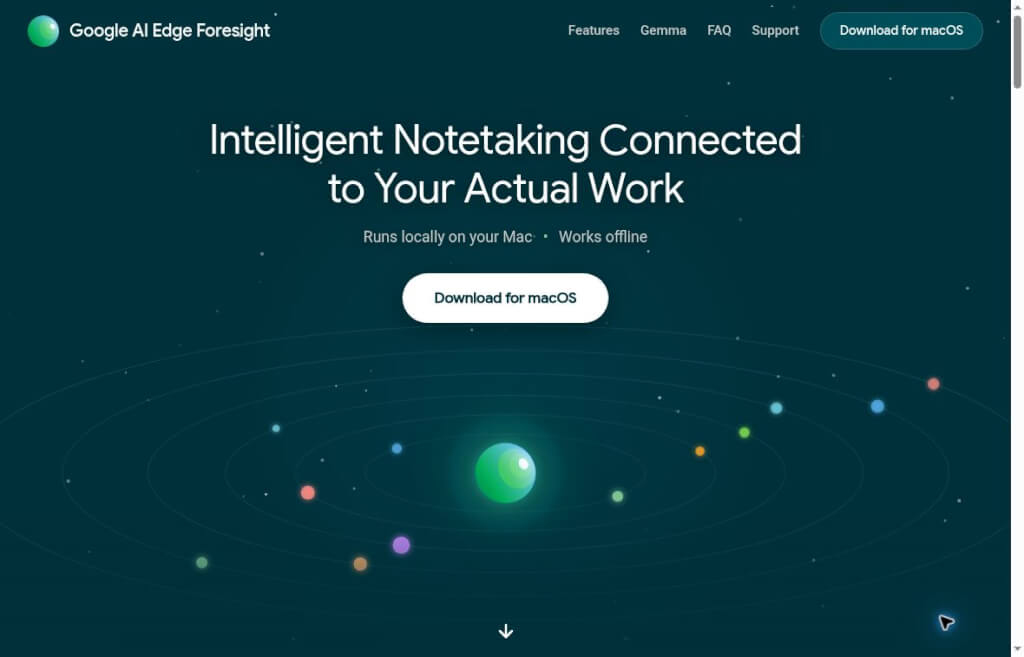
Screenshot from the Google AI Edge Foresight official website
What kind of information can it help process?
Supplementary Meeting Notes:Link the keywords users jot down on the fly to the current discussion to fill in details that are easily overlooked.
Restore the context of the discussion:Search meeting transcripts, notes, and personal documents to help answer questions such as, “Where is the basis for what was just mentioned?”
Search for information across categories:The company demonstrated its ability to search for documents, images, transcripts, and notes using natural language.
Local Jobs:Officials emphasize that data is processed on the device and that there are no cloud subscription costs. Downloading and initialization should still be performed according to the application's specific requirements.
The above outlines the capabilities announced by Google. Chinese, situations where multiple people speak at once, industry-specific terminology, and long meetings still require testing using your own materials.
Who Should Give It a Try?
People who frequently participate in project reviews, client discussions, or research interviews can use it to help organize “what has been decided, what the basis for those decisions is, and what remains undecided.” It’s also suitable for those who use a Mac, have their materials scattered across their local drive, and want to evaluate options offline first—allowing them to test the tool with a small set of materials.
If your work relies primarily on real-time collaboration among multiple people, a unified team knowledge base, or cross-device sharing, you should also review these requirements separately when selecting a solution. Just because individual local searches work smoothly doesn’t automatically mean that team permissions, sharing workflows, and archiving policies have been adequately addressed.
A More Reliable Getting-Started Process
Download it from the official website.First, verify which Mac models, operating system versions, and storage requirements are supported by the current version; do not search for installation packages on third-party download sites.
Start by testing with low-sensitivity data.Choose a project description that is a few pages long and a short discussion, and see if the search can find the correct source. There is no need to import all your work files during your first try.
Set the audio permissions as prompted.When conducting actual meetings, inform participants in advance that the meeting will be recorded, and comply with your organization’s recording and data management requirements.
Note only the key issues and conclusions.For example, start by writing “Launch date to be confirmed,” then check whether the updated record confuses the person in charge, the conditions, or the specific date.
Review the text against the original after the meeting.Separate clear decisions, personal suggestions, and to-do items; carefully verify amounts, dates, names, and negative statements; then use the confirmed information for the official minutes.
The steps outlined above are recommendations to facilitate trial use and verification. Interface names, initial download procedures, and device requirements may vary depending on the beta version; please refer to the official website and in-app prompts for the most up-to-date information.
How to Choose Between Granola and Otter
Compared to Granola:Both tools utilize computer audio to assist with note-taking. Granola states that it does not involve bots in calls, but instead uses third-party transcription and AI services, storing notes on its cloud infrastructure; Foresight, on the other hand, emphasizes local inference, offline operation, and on-device data retrieval. If you’re looking for Granola’s cross-device note-taking experience, you may want to consider it first; if your work materials need to remain on your local device, you can test Foresight first. Whether these solutions meet your company’s data requirements will still need to be reviewed in accordance with actual policies.Granola Official Data Processing Guidelines
Compared to Otter:Otter’s OtterPilot can join Zoom, Google Meet, and Microsoft Teams meetings to record, transcribe, capture slides, and generate summaries, and it also offers sharing integrations for teams. Foresight uses the system audio and microphone on Mac, combined with personal local data. If you need meeting platform integrations and team collaboration, consider Otter; if you prioritize offline personal search capabilities, consider Foresight.Official Otter Integration Guide
Use the same 10-minute discussion to test three things: whether the participant can identify a clear decision, whether they can point out where the basis for that decision comes from, and whether they will admit they don’t know when faced with a question that has no answer. These results are usually more informative than simply assessing whether the summary flows smoothly.
Usage Limits
A Mac version is currently available, and the official documentation explicitly states that it is optimized for Apple Silicon. There are currently no download links for Foresight on Windows, Linux, or mobile devices; the cross-platform support for other development components mentioned in the same announcement does not imply that Foresight supports these systems. Please check the system and storage requirements for the current version before downloading. Please download fromGoogle AI Edge Foresight Official WebsiteView the latest instructions.


 简体中文
简体中文  English