
C knows
CSDN launched the AI technical Q&A tool to provide developers with efficient services such as intelligent programming assistance, technical knowledge Q&A and code generation and optimization.
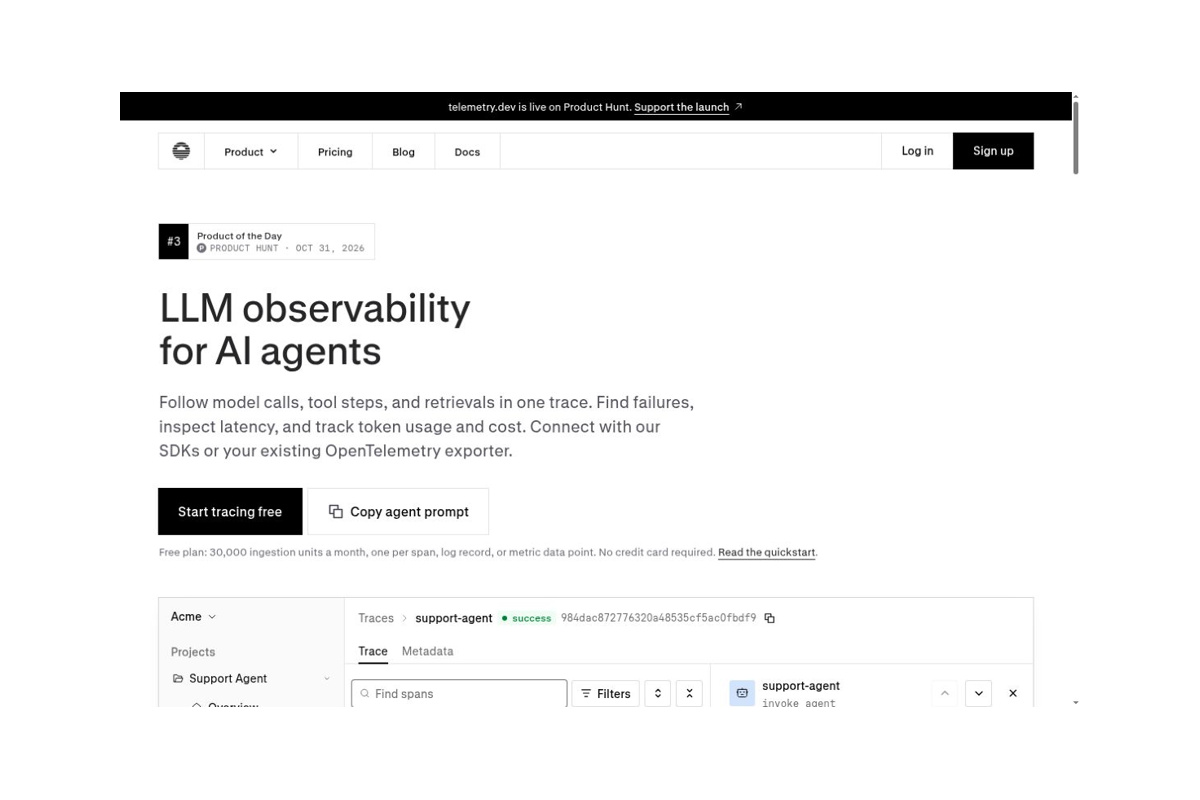
An observability platform for AI application developers that tracks model calls, tool steps, retrievals, costs, and evaluations.
 telemetry.dev
Link the model calls, tool steps, and retrieval processes of AI agents into a traceable record to pinpoint where delays occur, where errors happen, and where money is spent.
telemetry.dev is an observability platform for AI application developers. Built on OpenTelemetry, it breaks down a single request or agent execution into inspectable steps, helping teams trace specific points of failure when users report that an application isn’t working properly. On October 31, 2026, the product was featured on Product Hunt. It is designed for teams with existing AI applications that require debugging and ongoing operations; it is not intended for chatbots aimed at general users.official website
The product is operated by the telemetry.dev team, which provides official engineering support channels. Publicly available information does not fully disclose the company’s legal entity, funding, or team size; therefore, it is not advisable to use this unverified information to assess the reliability of the service. Its SDK is licensed under the MIT License, but the hosted service itself is not an open-source platform that can be self-deployed.Terms of Service
AI Customer Service and Knowledge Base Applications: Identify the corresponding request from the complaint and distinguish between data retrieval errors, prompt issues, and external system failures.
Multi-step agents: Check for duplicate calls, long waits, and error retries, and evaluate the overall cost of a task—not just the price of a single model.
Development Iterations: Before and after modifying prompts, models, or tools, compare them using the same set of examples. Observable logs can explain what happened, but whether the final business outcome is correct still requires the team to define acceptance criteria; “no errors” cannot be used as a substitute for “task completed.”
The system requirements for the Quick Start are Node.js 22.18 or later, or Python 3.10 or later; please refer to the corresponding documentation to confirm the coverage of each integration.Quick Start
Billed monthly per workspace: The Free plan includes 30,000 collection units per month, 14-day data retention, 1 project, and 2 seats; the Pro plan is $25/month and includes 500,000 units, 30-day data retention, 5 projects, and 5 seats; The Team plan is $50/month and includes 2 million units, 90-day retention, and unlimited projects and seats. Taxes and billing terms are subject to the purchase page.Official Price
A span, a log entry, or a metric data point typically counts as one unit, and a single complex task may generate multiple units. The evaluation also has a separate text quota; “30,000 units per month” should not be interpreted as 30,000 complete agent tasks. Free usage will be suspended upon exceeding the limit. Paid plans currently do not automatically charge overage fees when the included quota is exceeded, but this does not imply a promise of unlimited capacity.Credit Limit Terms
Privacy settings, in particular, should be checked first:By default, prompts and replies are saved. Disabling capture on the server side only affects recognition fields received thereafter; it does not guarantee that regular logs, error messages, or custom fields are free of sensitive text. To ensure that content does not leave the application, you should filter it on the application side before collection and export, rather than relying solely on the platform’s data masking. Using model evaluation may also result in test data being sent to the corresponding model service.Privacy and Retention Mechanisms
Workspace members can view all projects in the workspace; therefore, it is not appropriate to mix data with different confidentiality levels indiscriminately. The Terms of Service do not provide an uptime SLA; important records should be retained separately and should not be treated as the company’s original document repository or sole audit trail.
| offerings | Main Focus | Reasons Why It's a Good Choice | A trade-off is needed |
|---|---|---|---|
| telemetry.dev | Integration of Call Chains, Costs, MCP Troubleshooting, and Performance Evaluation | I want to use a managed service to connect to my existing AI application and quickly identify any operational issues. | Seats, retention periods, scope of permissions, and data collection policies must be confirmed in advance. |
| Langfuse | Open-Source Observability, Alert Management, Experimentation, and Evaluation | Prioritize open platforms and self-hosting options; prefer to manage the runtime environment independently | Self-hosting still involves costs for storage, upgrades, backups, and operations and maintenance. |
| LangSmith | Collaboration on Agent Execution Tracking and Evaluation | We hope to establish a continuous debugging process centered on agent development, not limited to a single framework. | Evaluate based on actual integration and data governance needs as well as the plan offerings; don’t rely solely on the demo. |
Basis for Comparison:Langfuse Official Website,Introduction to LangSmith Observability. The above is a comparison of device positioning; it is not a performance ranking based on untested data.
The value of telemetry.dev lies in enabling AI applications to move from “looking only at the final response” to “seeing the execution process.” For small teams just starting to operate bots, it’s advisable to begin by monitoring a high-frequency process to confirm whether troubleshooting time is actually reduced before deciding whether to expand implementation. If the primary requirements involve permanently storing original business data, strictly tiered access permissions, or fully offline deployment, these tasks should be handled by specialized systems rather than relying on the telemetry platform to shoulder all responsibilities.


 简体中文 简体中文
 English