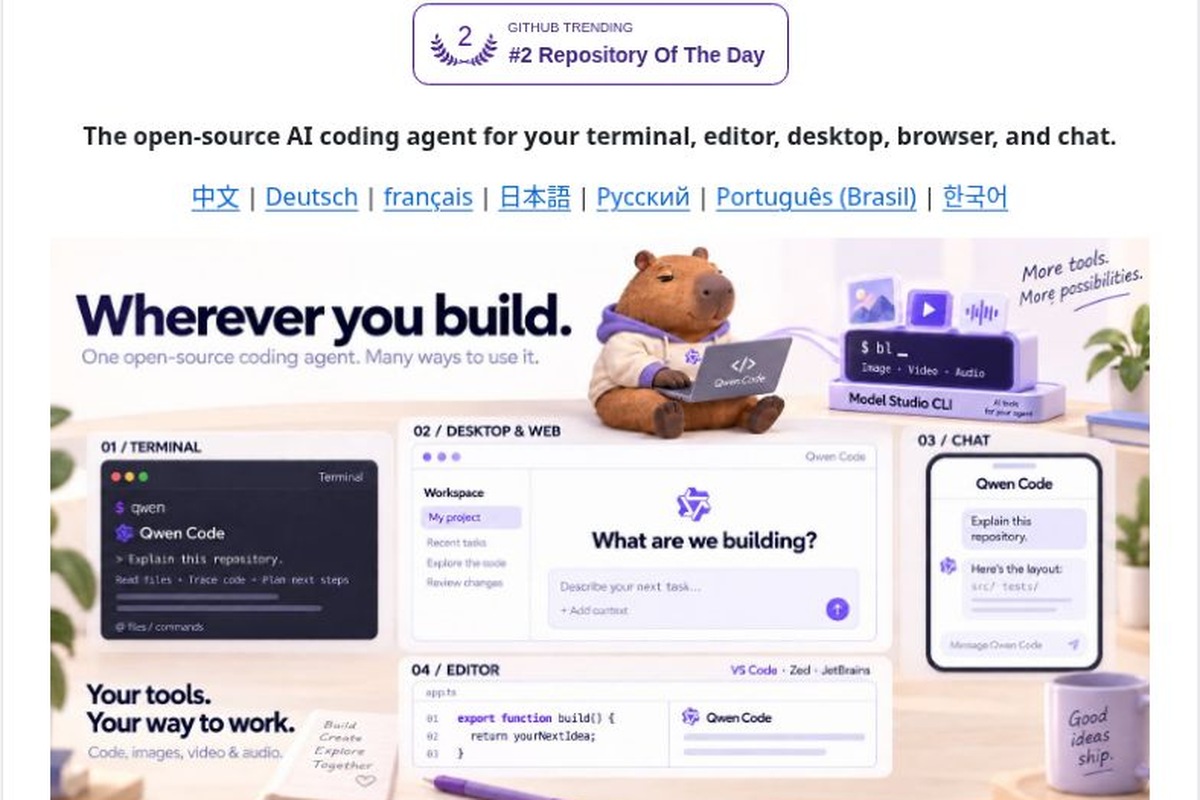
Qwen Code is an open-source programming agent maintained by QwenLM that can understand code, assist with modifications, run tests, and handle development tasks within a project directory. It offers access via terminal, desktop, and editor interfaces, supports various model service protocols, and is ideal for developers who want to integrate AI into their existing development environments while retaining flexibility in model selection.Official Projects
Team and Product Positioning
Qwen Code is developed by the Qwen team, and the project code is licensed under the Apache-2.0 License. Qwen Code is a development tool, while the Qwen series of models are models that can be called by it; the two should not be confused as a single product. Choosing this tool does not mean you are limited to using only one specific Qwen model; the licensing, availability, and costs of the models must also be confirmed separately.
core functionality
- Understanding and Modifying the Code Base: Start with the files in the repository to analyze the structure, identify issues, make local modifications, and run the appropriate checks.
- Multi-model access: Supports API protocols such as OpenAI, Anthropic, Gemini, and Qwen, as well as compatible third-party services and on-premises model solutions.
- Expanding the Development Process: Organize tools and tasks using mechanisms such as MCP, Skills, and sub-agents.
- Multi-Device and Automation: In addition to the terminal, desktop and editor access points are also provided; command-line mode and the SDK can be used for scripting or integration into development workflows. The Web UI and Daemon modes are still marked as experimental features in the official documentation.
Last Updated: v0.26.6
v0.26.6 was released on November 3, 2026, at 02:22 Beijing Time. The main updates focus on the Web Shell: the sidebar now displays session status, including whether a session is running, pending approval, or has encountered an error; support for adding sessions to split-screen view has been added; and the usage dashboard now includes information such as request success rate, output speed, and first token latency. For those who need to handle multiple development tasks simultaneously, this information allows them to quickly identify which sessions are still running and which require intervention.Release Notes
Suitable Use Cases
Taking on an Unfamiliar Project: First, have it explain the directory structure, startup procedures, and test entry points, then ask it to list the configurations that require manual verification to avoid making extensive changes right away.
Fix Specific Issues: Provide the steps to reproduce the issue, the expected results, and the modules that can be modified; let it generate the fix and test results, and finally review the diff.
Duplicate Development Efforts: Establish clear input and acceptance criteria for tasks such as document organization, test case completion, and dependency migration, and then consider using a command-line mode for batch processing.
Comparing Model Performance: Use different authorized model services for the same small task to compare accuracy, processing time, and cost, rather than focusing solely on generation speed.
Getting Started
- Select the installation method appropriate for your operating system from the official repository. When installing via npm, Node.js 22 or later is currently required.
- Navigate to the directory containing the project you want to process, run `qwen`, and use `/auth` to configure the model service and authentication.
- In the first round, participants were first asked to “explain the project structure, list the startup and testing methods, and not modify any files.”
- Assign another small task with a clearly defined scope, specifying which files can be modified, which areas cannot be modified, and the acceptance criteria.
- Review the code changes and run the tests. Operations involving dependency upgrades, database migrations, deployments, or credentials should not be executed directly based solely on the generated results.
Costs, Environment, and Limitations
The fact that an open-source tool itself is licensed under an open-source license does not mean that invoking the model is free of charge. API billing, account quotas, and the computing resources required for local models should be billed separately according to the selected services. The quality of the generated code is influenced by the model, the completeness of the context, and the quality of project testing.
Before integrating a third-party model, verify that the repository code and business data can be sent to that service; do not include production keys in prompts or project examples. Experimental Web/Daemon features should first be tested in a controlled environment and should not be made publicly available without proper security configuration.
How to Choose Among Similar Tools
| Qwen Code |
Open-Source Programming Agents, Multi-Protocol Model Integration |
We hope to be able to choose our own models and expand our development process |
You are responsible for managing model certification and fees on your own; some service models are still in the experimental phase. |
| Claude Code |
Anthropic's Programming Agents |
We hope to develop the repository and collaborate via the terminal around Claude. |
Use one of the supported accounts or API billing systems |
| Gemini CLI |
Open-Source Gemini Agent for End Devices |
I'm already using Gemini and would like to use terminal tools to complete my development tasks. |
Authentication methods, quotas, and model service requirements must be confirmed separately. |
The selection of these products should take into account existing accounts, code privacy requirements, user habits, and practical task testing; a single, generic score should not be used as a substitute for evaluation.Official Claude Code Getting Started Guide - Gemini CLI Official Repository
Recommendations for use
Think of Qwen Code as a verifiable, disciplined development partner: explain first, then make changes; commit in small increments and test continuously. For personal projects and small teams, this is usually a safer approach than striving for fully automated development right from the start.



 简体中文
 English