A platform that integrates AI-powered website building, web application creation, and hosting, allowing users to build websites using natural language and visual editing.
Hostinger is a service provider offering web hosting, domain names, and website-building tools; its AI capabilities are primarily used to lower the barriers to creating, modifying, and launching websites and web applications. It’s important to note that the Hostinger brand as a whole is not synonymous with a single AI model, nor are all of its hosting services AI-powered website builders; users who wish to create websites using natural language should focus on Hostinger AI Builder at this time.
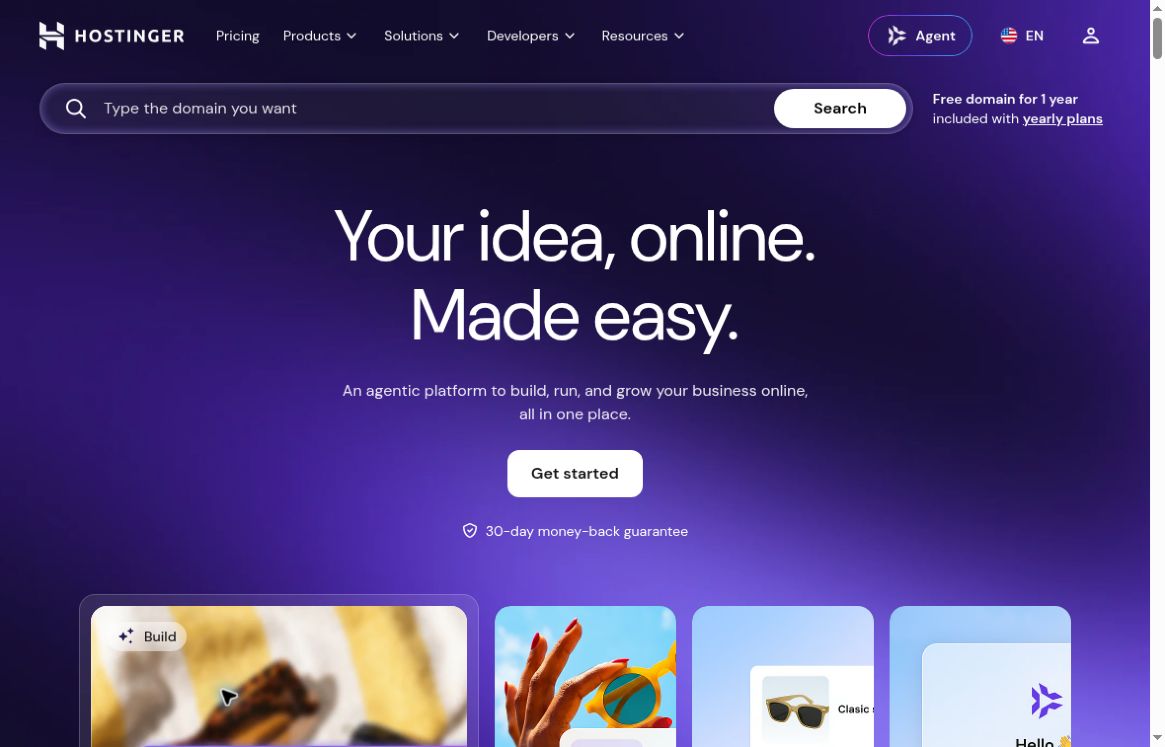
Hostinger's official website homepage, Source: hostinger.com
According to Hostinger’s official company profile, the company has been providing hosting services since 2004 and is based in Lithuania. In terms of product evolution, an official blog post from February 2025 introduced a conversational builder for web applications, noting that it would first be made available to a select group of customers before being rolled out more widely. More importantly, an official change log dated August 18, 2026, announced that Horizons and Website Builder had been merged into AI Builder; therefore, the product names in older tutorials may differ from those currently displayed in the dashboard. The current approach is to integrate manual visual editing with AI-powered conversational creation into a unified platform.Company Background|Early Release Notes|Announcement Regarding Product Consolidation
Key Features
Two ways to build:Manual mode is suitable for controlling layout by dragging and dropping and editing page elements; Agentic mode, on the other hand, uses dialogue to describe pages, interactions, and features, with the AI generating or adjusting the design. They cater to different work styles: the former is suitable for those who already know how a page should be laid out, while the latter is suitable for those who prefer to describe the desired outcome first, then review and iterate on the implementation. The fact that “natural language generation is possible” should not be interpreted to mean that complex business logic does not require acceptance testing.Official Getting Started Guide
From a showcase page to a web application:The Agentic model supports the creation of websites and browser-based applications, covering areas such as portfolios, landing pages, task management, tracking tools, and data dashboards. According to the official documentation, it handles code structure and backend operations while providing a user interface for previewing, editing, reverting changes, and viewing usage metrics. In practical terms, it integrates the previously separate processes of page creation and certain development steps into a conversational workflow, though users are still required to define data, role permissions, and success criteria.Overview of the Agentic Model
Coordination Between Launch and Operations:AI Builder provides publishing and hosting integration to help users move from a preview to a live, accessible site. For those with existing website experience, the ease of domain management and ongoing maintenance is often more valuable than the initial generation speed. It can also integrate with commercial features, but for e-commerce, payment, and third-party services, you should verify the scope of support and pricing terms on a case-by-case basis; do not assume that all extended capabilities are free based on the general description on the product homepage.AI Builder Official Page
Usage Scenarios
For small businesses, freelancers, and creators, the most common use case is creating a business overview page, a service landing page, or a personal portfolio. Once the business positioning, target audience, service offerings, and contact information are clearly defined, AI can be used to generate a first draft of the structure, which the creator can then customize by replacing it with real-world examples and materials. This saves the time and effort involved in organizing and building content from a blank page; however, business owners remain responsible for brand positioning, service promises, and content authenticity.
For startup teams and internal business staff, it is also suitable for creating interactive prototypes, such as project progress dashboards, simple data collection tools, or customer demo interfaces. It is recommended to first validate workflows using mock data before deciding whether to integrate with live business operations. For systems involving financial, health, or identity information—or those requiring cross-departmental permissions—it is not advisable to go live simply because “the pages are functioning normally”; Further validation of access controls, error handling, data retention, and backup solutions is required. For native mobile applications or highly customized underlying systems, the product scope must be confirmed first; web applications should not automatically be equated with apps that can be directly published to app stores.
How to use
Step 1: Create a website in the “Websites” section of the Hostinger dashboard, select AI Builder, and choose either Manual or Agentic mode based on your needs. Step 2: Provide a brief description outlining the website’s purpose, target audience, core content, and intended functionality. For example, instead of simply writing “Build a high-end website,” specify “Create a portfolio for a freelance photographer, including categorized work, service descriptions, a contact form, and mobile navigation.” If using images or documents as references, ensure you have the rights to use them and remove any irrelevant personal information.
Step 3: First, review the information architecture, then address colors, fonts, and images. For app projects, it is recommended to test one workflow at a time: adding data, editing data, logging out and then logging back in, and viewing data from different user perspectives. Step 4: Formulate feedback into specific modification instructions, indicating the page location, the current issue, and the expected result. When rollback requirements arise, check the rollback functionality first to avoid continuously adding conflicting prompts. Step 5: Before release, test mobile display, links, form submissions, error messages, and actual content, then configure the domain name and go live.
In terms of costs, Agentic operations involve AI quotas, so the website-building subscription should not be simply interpreted as offering unlimited generation. You should also check the initial fee, renewal fees, domain registration period, AI quotas, and any commercial services that need to be connected. If you plan to export a project and hand it over to a developer, you should also confirm in advance the current export method and whether the project can be re-imported. The official documentation for the older version of Horizons explicitly states that projects exported and edited externally cannot be directly re-imported to continue guided editing; such migration requirements must be verified before adoption.Instructions for Exporting Historical Data
Comparison of similar products
together withWixIn comparison, both platforms combine AI-powered conversation with visual editing. Wix’s official product page highlights business websites and built-in tools such as e-commerce, booking, and marketing; Hostinger, on the other hand, integrates AI Builder with its own hosting system and supports both showcase websites and conversational web applications. Business owners should use their own business checklist to test booking, payment, product, and customer management features one by one, rather than simply comparing the appearance of templates.Official Wix Introduction
together withFramerIn comparison, Framer’s official design overview emphasizes responsive layouts, canvases, and fine-tuning; Hostinger AI Builder, on the other hand, offers two approaches: manual website building and Agentic app development. If your focus is on brand expression, visual layout, and marketing pages, you might want to compare Framer’s design workflow; if you’re looking to combine website hosting with simple app development, Hostinger is worth checking out first. Ultimately, you should still test them out using your actual business processes to see if the editing effort, feature coverage, and ongoing maintenance are a good fit for you.Framer Design Capabilities


 简体中文
简体中文  English