A personal AI assistant with persistent memory and a cloud-based browser that supports managing data, planning tasks, and keeping track of daily affairs on the web, iOS, and Android.
Hark Pro is a personal AI assistant app launched by Hark. Officially announced on October 6, 2026, it is available via web, iOS, and Android. It combines continuous chat, memory, service integration, and cloud computing, allowing users to continue conversations about a single topic without having to explain the background from scratch every time.View Announcements
Hark is the name of the company and its AI products, and Hark Pro is the software gateway to this suite of capabilities. “Pro” does not mean that the service is available only for a fee: the company offers a free plan with full functionality, while the paid plan primarily provides additional usage limits.
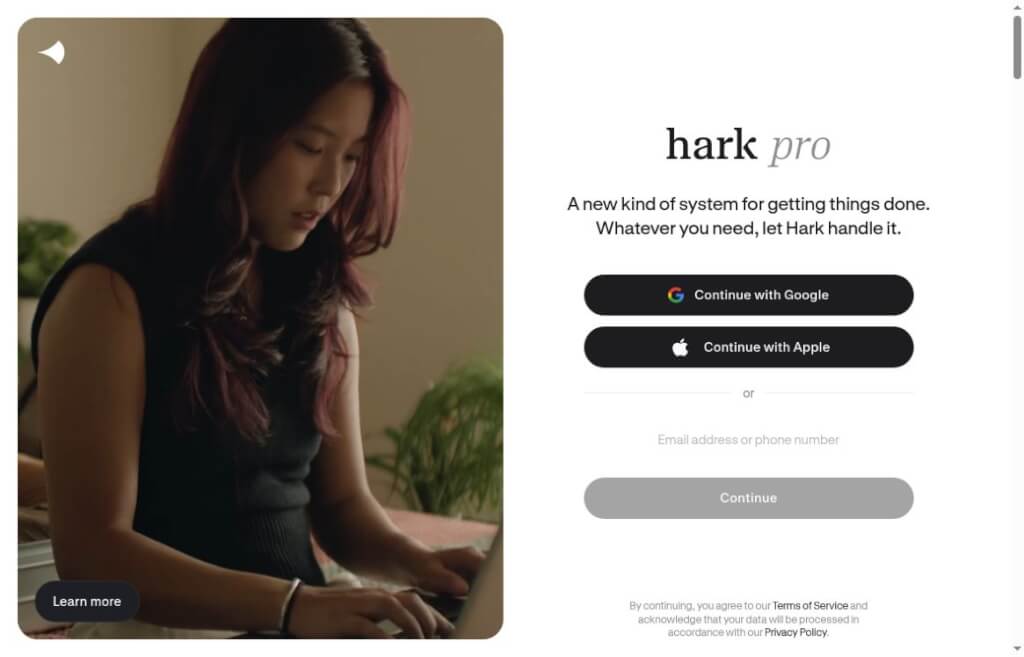
Screenshot from the Hark Pro official website
core functionality
Ongoing Dialogue and Memory:Preferences and task context are retained during long-term conversations; users can also ask the system to forget a specific memory through dialogue, as described in the official documentation.
Handoff Cloud PC:When you need to browse the web or interact with a website, Hark can use its own cloud-based browser to handle the task. Whether third-party websites allow access or require authentication will still affect whether the task can be completed.
Projects:Place long-term matters, related documents, and discussions in separate threads; this is suitable for ongoing activities, trips, or work projects.
Panels and Action Buttons:Create a small information panel in Home and organize some of your to-do items into actionable entry points.
Service Connections and Scheduled Tasks:The official documentation lists direct integrations with Google Workspace, Microsoft 365, and others, and supports creating reminders and scheduling tasks through conversations.
The feature names and basic usage instructions can be found atUsing Hark ProView here. The shopping, ticket booking, and account management features shown on the official website are examples of specific use cases; they should not be interpreted as functions that can be automatically performed on any website, in any region, or for any task.
What scenarios should I start with?
When planning a short trip, you can first have it gather transportation and lodging options, then refine the schedule and budget based on those options; when working on a task, you can centralize your materials, organize correspondence, and then list any unresolved issues; for everyday use, you can start with scheduled reminders, searching for information, and simple dashboards.
For new users, it’s better to start by assigning them a small task that can be verified manually. For example, “Find three weekend travel options and list the total travel time and source links.” You can check at a glance whether the results are complete and the sources are accurately cited. When the task involves purchasing or external communication, be sure to specify the budget, recipient, and scope of the task.
How to Use It in Practice
Choose the website or the official mobile app.First, review your current plan and the privacy policy to understand your free allowance and any potential future charges.
Define the scope of the task clearly from the start.Specify the desired outcome, deadline, necessary conditions, and which steps must be confirmed first. For example: “Compile a list of three hotel options, with a budget of no more than 800 yuan per night. Provide me with a comparison first—do not make a reservation.”
Connect only to the services you currently need.When conducting research using only publicly available information, there is no need to connect your email, calendar, and all your files right away; review the scope of authorization only when you actually need to access your account data.
Place long-term tasks in a project.Keep the conditions that have already been determined; in the future, only add any changes to avoid mixing materials and requirements from different projects.
Check the completion receipt.For research tasks, check the source; for document tasks, check the actual document; for reservation or purchase tasks, check the merchant’s confirmation record. A simple “Completed” in a conversation should not replace verification of external results.
How to Choose Between ChatGPT and Claude
Compared to ChatGPT:ChatGPT organizes relevant chats, files, and requests through "Projects," while "Work" is designed for longer, multi-step tasks and provides permission-restricted cloud browser workflows. Hark Pro, on the other hand, relies primarily on long-term personal chats, the Home action portal, and Panels as its main organizational methods. Neither is merely a Q&A tool; when choosing between them, you should compare the integration with your frequently used accounts, task outcomes, and quotas, rather than assuming that only Hark has memory or execution capabilities.ChatGPT Projects,Work Description,Cloud Browser Instructions
Compared to Claude:Claude’s Cowork workflow supports connectors, projects, file delivery, and background tasks; according to the current official documentation, browser operations and local file access still require the desktop app to be online. Hark’s Handoff uses its own cloud-based computer. Users who frequently work with local files on their computers should first verify Claude’s corresponding desktop capabilities; those who wish to delegate web-based tasks from their phones should focus on testing whether Hark’s cloud browser is compatible with the target website. Permissions, pricing plans, and platform support for both services are subject to the specifics of your actual account.Claude Official Platform Guide
During the trial period, select one task you frequently perform and compare who can minimize the need for repeated instructions, leave clearer evidence of completion, and, in the event of an error, explain exactly where the process stalled.
Pricing and Privacy Reminders
As of October 13, 2026, the official pricing page shows: The free version of Hark Pro offers all features; Hark Pro² costs $20 per month and provides twice the quota of the free plan; Hark Pro³ costs $100 per month and offers 10 times the quota of the free plan. These are quota-based tiers; they do not guarantee the completion of a fixed number of tasks. Pricing and quota rules are subject toCurrent Prices Pageshall prevail.
According to the official website, the platform will seek user consent for actions requiring approval and provide encrypted storage mechanisms for sensitive login and payment information. Users should still link accounts only as needed, review the data usage guidelines, and maintain manual review of important actions.Visit the Hark official website


 简体中文
简体中文  English