What is Glueprint?
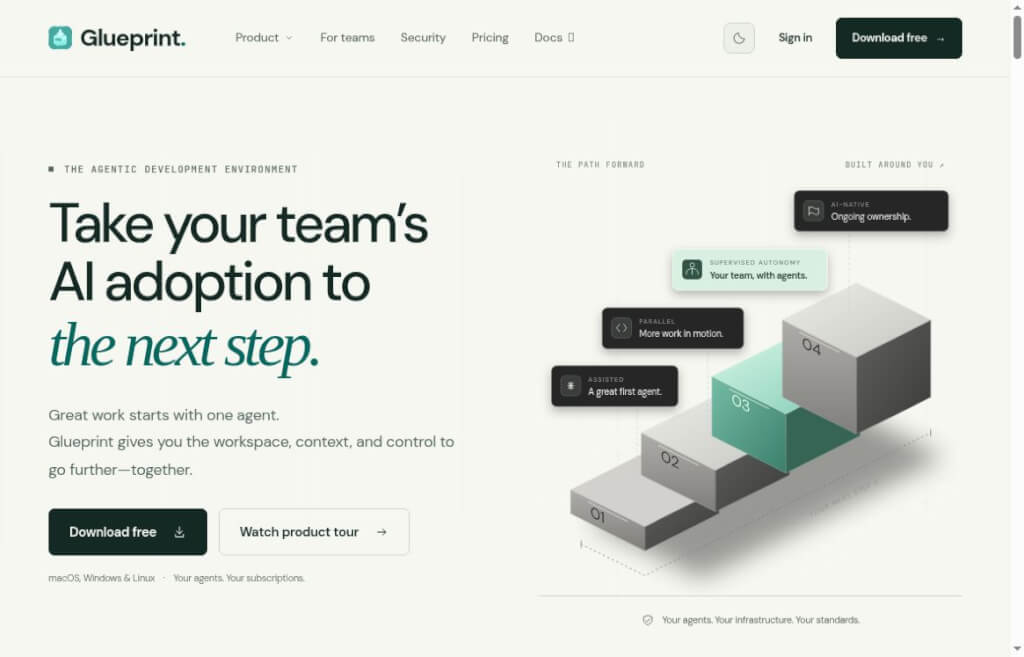
Glueprint is a workspace designed for AI-assisted development that integrates Claude Code,Codex 等已有program智能体放进同一套项目管理和Code reviewWorkflow. Developers can view sessions, files, and terminals; track multiple tasks; and address issues from other devices as needed. It is best suited for those who are already using programming agents and wish to manage their projects centrally; however, before using it, you must still prepare a host machine to run the tasks, the project code, and the corresponding agents. This article does not include hands-on testing of installation or development tasks.
Key Features of Glueprint
- Centralized Management of Development Tasks:View Smart Agent conversations, code files, terminals, and task statuses in the workspace. A separate Git worktree is equivalent to preparing different copies of the code for each task, which helps prevent multiple experiments from getting mixed up.
- Code Review and Delivery:Review changes, run tests, manage branches and pull requests, and make sure you understand which files have been modified and whether the tests have passed before committing. For example, even when an AI claims to have fixed a login issue, you should still review the relevant code and test logs before deciding whether to merge, rather than relying solely on the "done" prompt in the conversation.
- Cross-device tracking:Connect the host computer, web browser, and smartphone as described in the instructions, monitor progress, and answer the agent's questions. Long-term tasks still require the host computer to remain online.
Glueprint's Core Values
When one developer is fixing a login issue and another is catching up on tests, the challenge often becomes “how to keep track of tasks and results.” Glueprint brings this information together, making it easier to spot stuck steps in a timely manner and review code before merging. It’s particularly useful for multi-task, multi-machine development; if you only generate a few lines of code occasionally, you’ll need to decide whether it’s worth setting up an additional workspace based on your usage frequency.
How do I use Glueprint?
- Install the desktop application and prepare the programming agent for use. Follow the official instructions to check in the settings whether the agent has been detected; Glueprint calls the local external agent rather than providing a generic model.
- Add a project directory, select an agent, and initiate a well-defined task, such as “Identify the cause of the login failure and provide a remediation plan first.” If parallel modifications are needed, create separate workspaces or code copies.
- Review the execution logs, code differences, and test results before deciding whether to accept the changes. When using this feature for the first time, you can start with a small fix to walk through the entire process—from submitting the request, reviewing the changes, to manual confirmation—before increasing the number of concurrent tasks. Remote access also requires connecting to the corresponding service and keeping the host where the task is running online; the mobile app is primarily for convenient tracking and does not mean that the task has been transferred to run on the mobile device.
Pricing and Limitations: Free plan is $0, limited to 1 host and 1 seat; Lite plan is $9/month, offering mobile access but not including the web portal; Pro plan is $24/month and includes 3 hosts; Team plan is $59/month and includes 4 hosts and 2 seats. Agent subscriptions and invocation fees are billed separately. Paid trials require a credit card; if not canceled within 7 days, they automatically convert to a monthly subscription. Desktop support is available for macOS, Windows, and Linux. On October 9, 2026, version 1.9.0 was released, introducing improvements such as Java support; the Java language service requires JDK 21 or higher.
Comparison of Similar Products: Glueprint vs. Cursor
| Dimensions of Comparison | Glueprint | Cursor |
|---|---|---|
| Access Point | Unified Management of Programmable Agents from Different Vendors | Development centered around our own editor and Agent environment |
| Parallel Mode | Isolating Tasks in a Separate Worktree | Supports worktree; the Agents Window and IDE entry points are different |
| Review Path | The workspace provides a centralized view of host tasks, terminals, and Git changes | Review results in the Agents Window, submit or create a pull request |
| Payment Methods | Host/Seat Plans; Agent fees are billed separately | For details on your plan and data allowance, please refer to the official pricing information. |
Selection Tips: If you already have multiple external agents or need to manage multiple hosts, you may want to consider Glueprint; if you’re familiar with Cursor, you can start by using its built-in workflows. Parallel isolation is not unique to Glueprint. This table does not compare coding accuracy or speed.
data statistics
Relevant Navigation
Google's experimental local meeting assistant for Mac adds notes based on the meeting context and uses natural language to search through meeting transcripts and private files.

Zencoder
AI-assisted programming tool that automatically generates code, fixes bugs, creates test cases, and integrates with mainstream IDEs to improve development efficiency.

DeepCode
AI-based code review and quality assurance aids designed to improve code quality and security.
Runbear
Runbear brings shared AI agents to Slack, Teams, and Discord, connecting team knowledge with business tools and allowing users to view tool invocation processes via the Activity feed. It’s ideal for gradually expanding from knowledge Q&A to team workflows.

MGX
Multi-intelligent body collaborative software development platform, through the natural language drive to realize the whole process of software development automation, reduce the threshold of development, improve the development efficiency.

Superflex
An AI tool designed by front-end developers to automatically generate high-quality front-end code based on Figma designs, images or text descriptions, significantly improving development efficiency and code consistency.

StonksUp
AI-driven full-scene investment research tool integrates 5 intelligent bodies to parse data in real time, providing investors with one-stop professional support such as trading signals, earnings report disassembly, institutional tracking, etc., and lowering the threshold of decision-making.

AmpCode
Sourcegraph introduces an intelligent programming assistant with powerful agents that can call tools, edit code, and perform complex development tasks on their own.
No comments...
