Cover image source: DeepAI official media kit, showing the 2023 product interface.
What is DeepAI?
DeepAI is an online AI creation platform operated by Deep AI, Inc. that brings together text-based conversations, image generation and editing, and video and music generation on a single website. According to the team, the service launched in late 2016. It is best suited as a lightweight creative tool—first using dialogue to refine ideas, then generating visual drafts or short video clips—rather than as a professional delivery system that requires no review.
core functionality
- AI Conversation:Assists with Q&A, writing, translation, and coding ideas; images or files can be attached. Capabilities such as internet access and memory are subject to plan limitations, and answers may still contain errors.
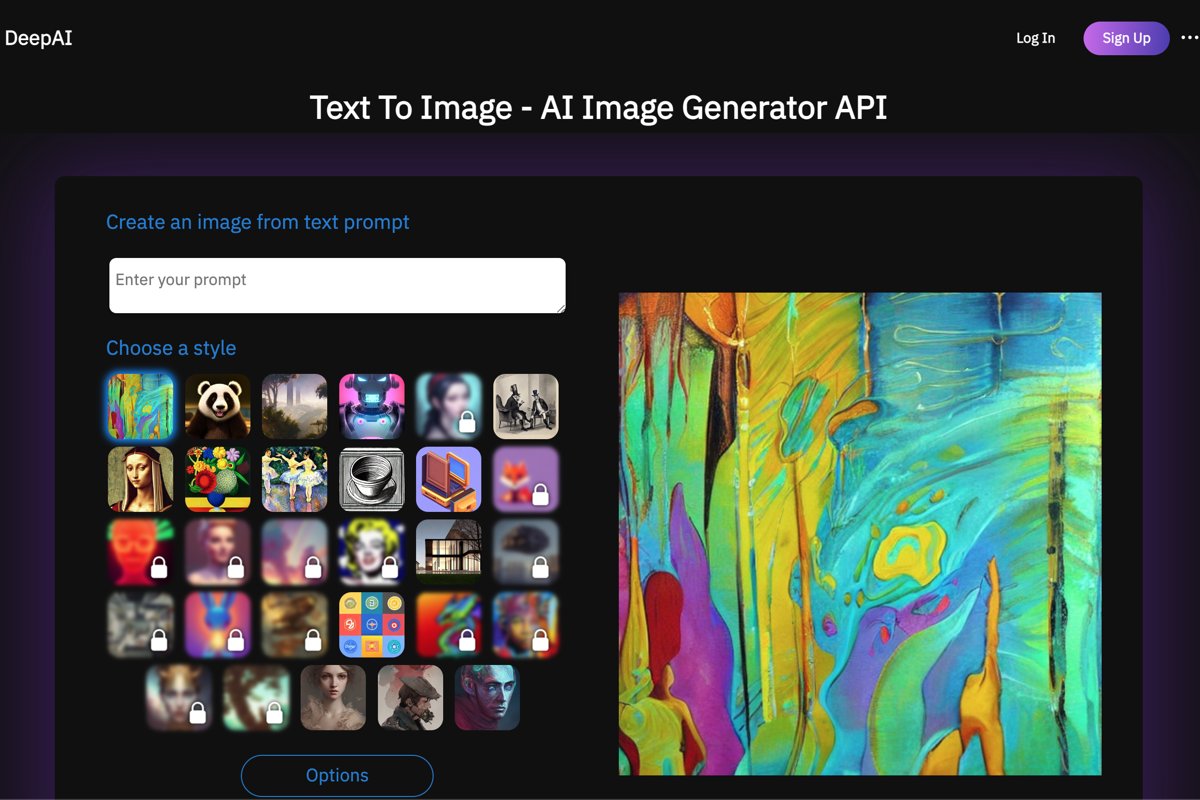
- Text-to-Image Generation and Image Editing:Enter the subject, style, and details, then select the image mode, style, and aspect ratio; the tool supports further editing, enhancement, and background removal. Resolution and resource consumption vary depending on the selected settings.
- Video, Music, and Audio:Provides a standalone creation portal, ideal for exploring short video clips, music tracks, and voice interactions; this does not imply that all features are free or available for unlimited use.
- Developer API:We provide model APIs, such as image generation, to help you integrate generative capabilities into your own applications. To use these APIs, you must configure them according to the documentation and be mindful of billing limits.
What situations is it suitable for?
Individual creators can use it to develop story characters, draft social media content, and gather visual inspiration; small teams can quickly compare several product concepts or promotional visuals; and teachers can explore diagrams to supplement their lessons, though they should verify that the information and illustrations are accurate. Developers can first validate the generation process before deciding whether to integrate the API. For projects involving precise text layout, print dimensions, or complex post-production, it is still advisable to switch to specialized editing tools to complete the work.
How do I use it?
- Go to the official website and select "Chat," "Image," "Video," or "Music" based on your task; you can try out some of the basic features right away.
- First, clearly define your goals and constraints. For image tasks, specify the subject, style, background, colors, and intended use; avoid using only vague terms.
- Select the available modes and specifications. If you need an advanced mode, check your account limit and overage rates first, then generate it.
- Continue making adjustments until you are satisfied with the result, then check the text, character details, facts, and legal risks before downloading and using it. Make sure you have the necessary permissions before uploading the material.
Pricing and Necessary Restrictions
The free plan offers a limited basic experience. The Pro plan is priced at $9.99 per month or $89.99 per year; As of October 2026, the monthly allowance includes 500 HD image generations or edits, 60 Genius images, 10 Super Genius 2K images, as well as separately calculated allowances for chat, video, and music. This is not an unlimited plan; exceeding the limits will incur charges according to the applicable rules; before purchasing, pleaseOfficial Pricing PageThe information on the checkout page shall prevail.
Subscriptions are automatically renewed, and the official website states that refunds are not available. There are differences between free and paid features, models, and quotas. The service permits the generation of images for legitimate commercial use; however, this does not mean that each output automatically obtains copyright protection in applicable jurisdictions, nor does it replace the need for authorization reviews regarding portraits, trademarks, or input materials. Do not submit confidential information that is not suitable for processing by third-party services.
How do I choose among similar tools?
| artifact |
Main Focus |
Better-suited needs |
| DeepAI |
A central hub for chatbots and various generative tools, with API support |
Low-threshold experience, rapid concept sketching, and development validation |
| Pixlr |
Online image editing, featuring AI tools such as generative filling and background removal |
Editing existing photos, adjusting compositions, and creating images |
| Adobe Firefly |
Image, video, audio, and design creation, offering a variety of creation and editing tools |
Emphasize the visual production process; creative assets need to be further refined. |
Recommendations: If you want to try out conversation, drawing, and audio/video generation all in one place, start with DeepAI; if you’re primarily working with existing images, check out Pixlr; and if your focus is on visual design and subsequent creative work, consider Firefly. These recommendations are based on use cases, not rankings of image quality or performance.
Visit the DeepAI website - Image Generator - Terms of Use


![FLUX.2 [klein]](https://www.aifun.cc/wp-content/uploads/2026/01/20260116222022-ddbc1.png)


 简体中文
简体中文  English