
speck - latest version
An AI search product that focuses on life scenarios

Turn spoken ideas into editable messages, emails, and documents
Subject to the app store's terms 1 Already downloaded Mobile view
![Superwhisper usage screenshot[1]](https://www.aifun.cc/wp-content/uploads/2026/10/1791973517-superwhisper-screenshot-1.jpg)
Superwhisper is an AI-powered voice-to-text app designed for everyday writing: simply speak your ideas, and the app will convert your speech into editable text that you can insert directly into your messages, emails, or documents. It’s available on macOS, Windows, iOS, and Android, and supports both direct dictation and various modes for refining wording and formatting.
Superwhisper is provided by SuperUltra, Inc., which states in its official description that its team is based in Canada. Public update records date back to Mac products in 2023, and the service has since expanded to mobile devices and Windows. It continues to evolve around the concept of “voice-enabled workflows,” adding features such as mode configuration, vocabulary management, document transcription, and meeting summarization. The product supports both on-device and cloud-based models, making it suitable for users who wish to adjust their settings based on speed, device performance, and privacy requirements.Official Team Introduction
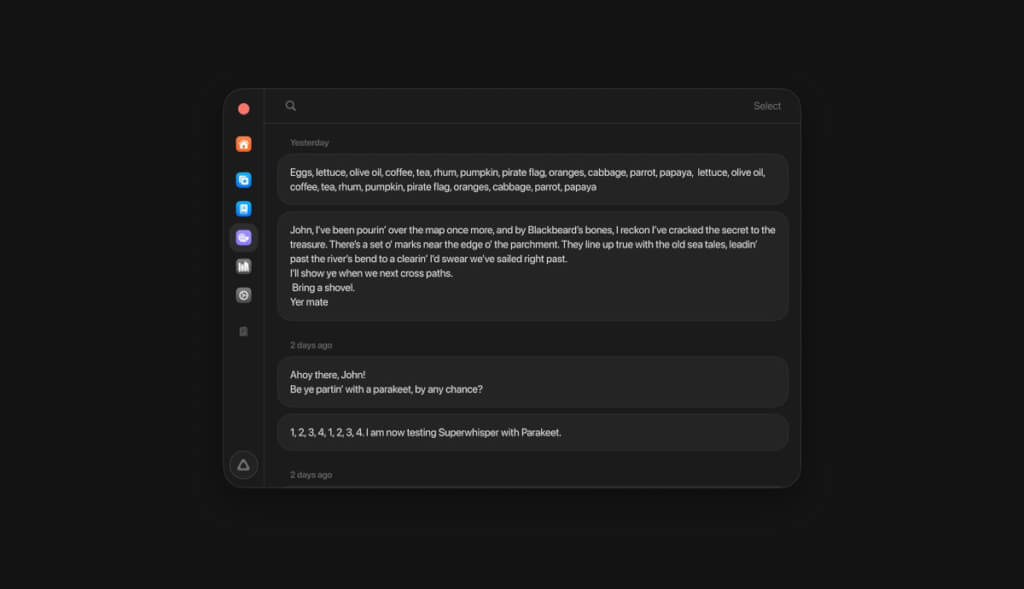
Mode and vocabulary settings for iPhone and Android are currently saved on the device and are not automatically synced from a computer; the mobile app is designed for smartphones, and the official help documentation does not list iPads or Android tablets as supported devices.iPhone Setup Instructions | Android Setup Instructions
The free plan offers local Whisper model dictation, vocabulary, and text replacement, with up to two modes that do not include AI post-processing. The Pro plan adds capabilities such as cloud-based models, AI modes, and file transcription; the official documentation lists pricing at $8.49 per month, $84.99 per year, or a one-time payment of $249.99. New users can try the Pro features with a 3,000-word trial. A single Pro license can be used on multiple supported devices by one individual, but pricing may vary depending on the store channel, currency, taxes, and actual checkout price.Package Description
“Having a local model” does not mean that no data is uploaded for any features. If speech is transcribed locally but the text is sent to a cloud-based model for refinement, the text will still leave the device; when using a cloud-based speech model, the audio must also be processed online. Fully local use requires both stages to remain on the device, or for transcription to be performed locally only. When integrating third-party APIs on your own, you must also review the data terms of the corresponding services.Official Data Processing Guidelines
Local models consume additional storage and computing resources, and the app installation package does not include the entire model. Available models vary by device, so we cannot guarantee that all four platforms will have the same offline capabilities. The interface is primarily in English, and the language listed in the iOS App Store is English; support for Chinese voice commands does not imply a fully Chinese interface.
| Dimensions of Comparison | Superwhisper | Granola | Basic Voice Recorder App |
|---|---|---|---|
| Primary Focus | Speech Input and Text Processing | Meeting Notes and Information Recap | Save audio for easy playback |
| Sample Output | Messages, emails, notes, or documents | Meeting Minutes, Key Discussion Points, and Action Items | Audio files; other features vary by app |
| Working Methods | Determine how to transcribe the text based on the mode and model | Generating Notes by Combining Personal Shorthand and Conversations | Record the audio first, then edit it as needed. |
| Key Points | Input Convenience, Models, and Processing Paths | Meeting History, Sharing, and Cross-Meeting Queries | Audio Quality, Storage Location, and Export Capabilities |
If you want to get your thoughts down on paper faster, consider Superwhisper first; if your main task is to consistently organize team meetings, you should focus more on meeting note-taking tools. Either way, AI-generated text should always be reviewed by you.
Superwhisper Official Download Page | iOS App Store (U.S.) | Android Google Play
Before downloading, please verify your system version and account region. Availability in the Mainland China App Store and the availability of direct network access have not been confirmed; overseas download links should not be considered a guarantee of local availability.


 简体中文 简体中文
  English